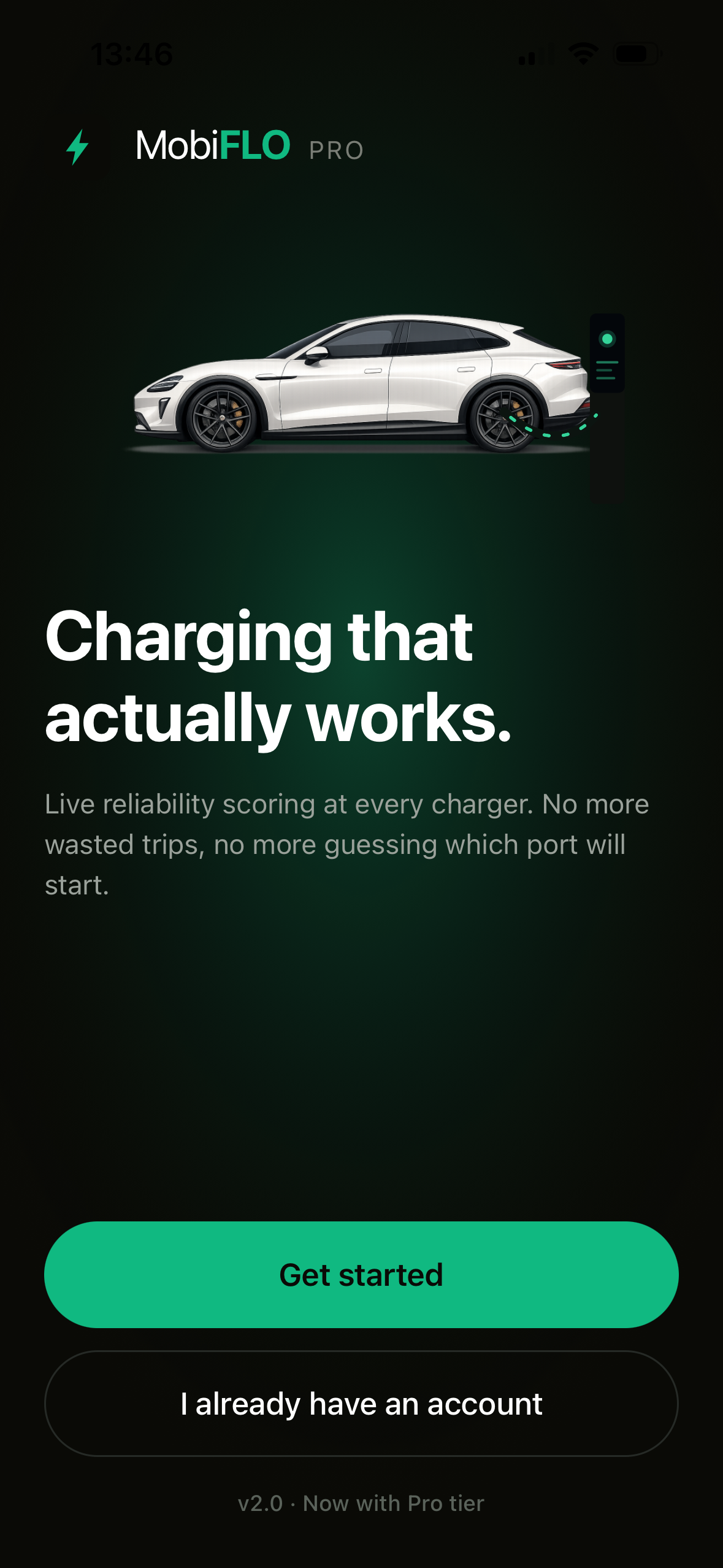
MobiFLO
PRO

Charging that actually works.

A screen-by-screen tour of the MobiFLO driver app and the MobiFLO Lite operator console.
July 2026
Two products
35 live screens
MobiFLO welcome screen
The platform

One platform, two sides

01 · DRIVER APP
MobiFLO Pro

Find a reliable charger, start a session, and settle it — with receipts, a prepaid wallet, and live reliability scoring at every charger.

Find
→
Charge
→
Pay
02 · OPERATOR CONSOLE
MobiFLO Lite

Run the network: chargers over OCPP, RFID access, sites with load management, roaming over OCPI and Hubject, and automated invoicing.

Connect
→
Operate
→
Settle
Every screen that follows is the live EviNet demo tenant — chargers in Amsterdam and Dubai.
Section 01

The driver app

Sign-in  ·  Onboarding  ·  Permissions  ·  Home  ·  Charger map  ·  Live session  ·  Activity  ·  Wallet

01
Driver app · Sign-in

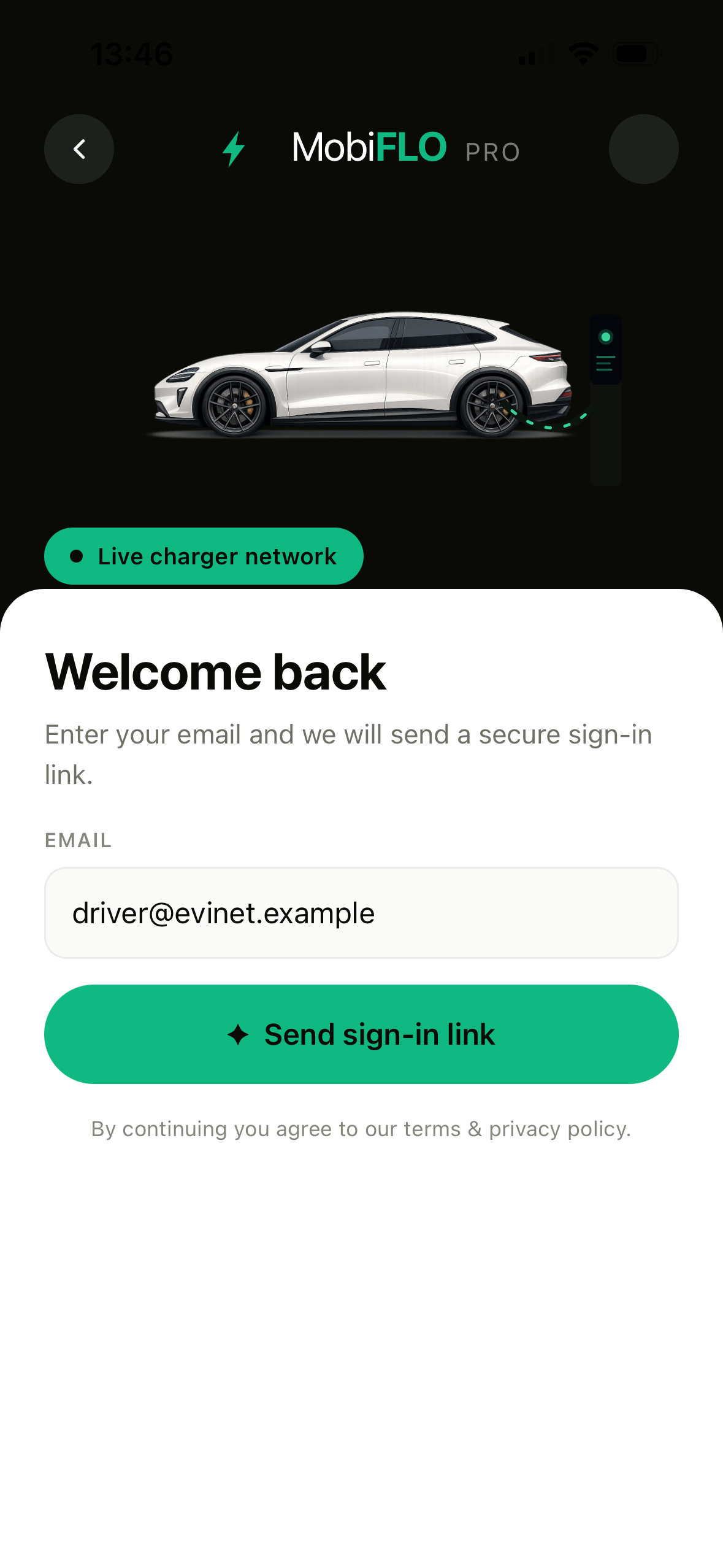
Sign-in without passwords

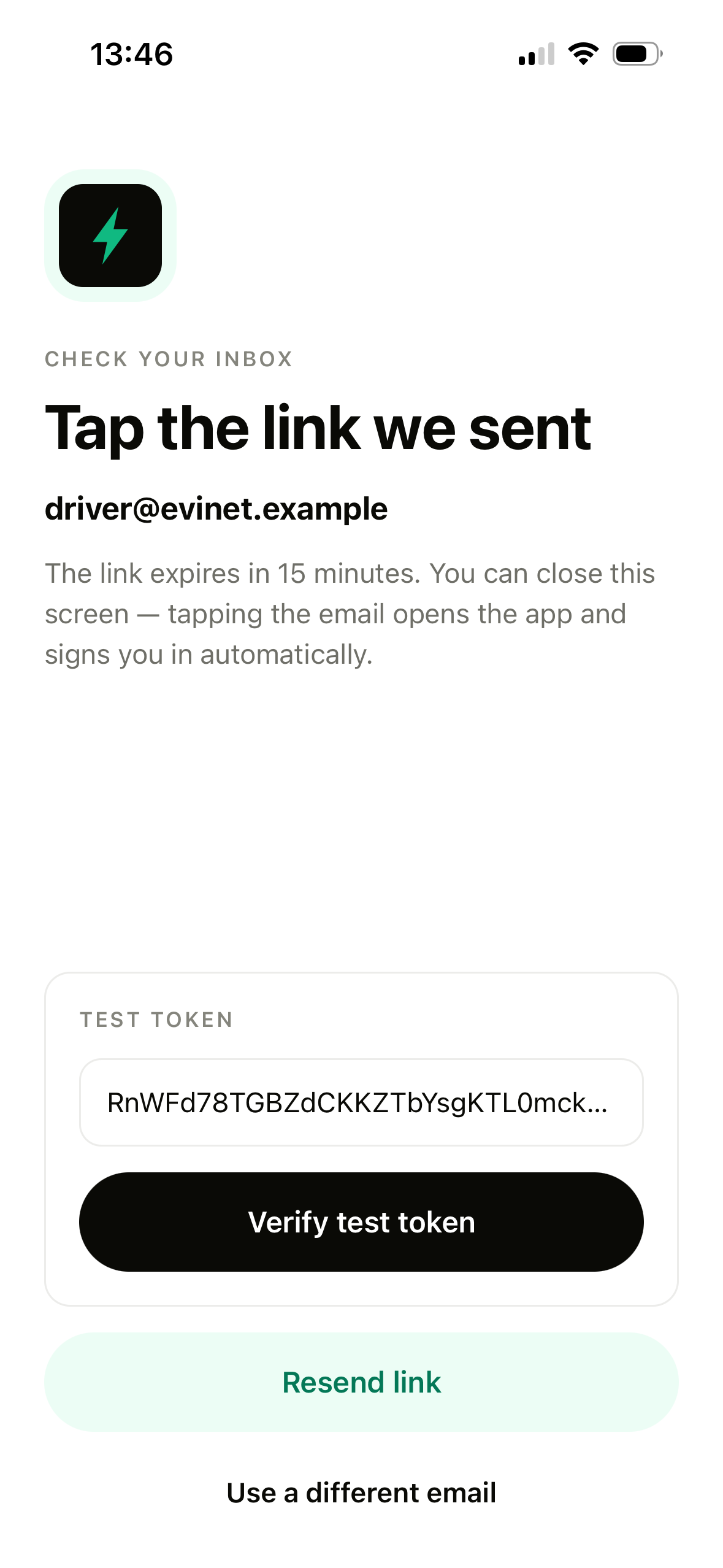
Email is the only credential. A secure link signs the driver in and expires after 15 minutes.
Nothing to remember, nothing to reset
Tapping the email opens the app already signed in
Demo builds add a test token for reviewers
Welcome back sign-in screen
1
Enter an email — that's the whole form
Check your inbox screen
2
The link arrives; this screen can be closed
Driver app · Onboarding

Five-step onboarding

Each step shows what it unlocks and how long it takes — roughly 90 seconds end to end.
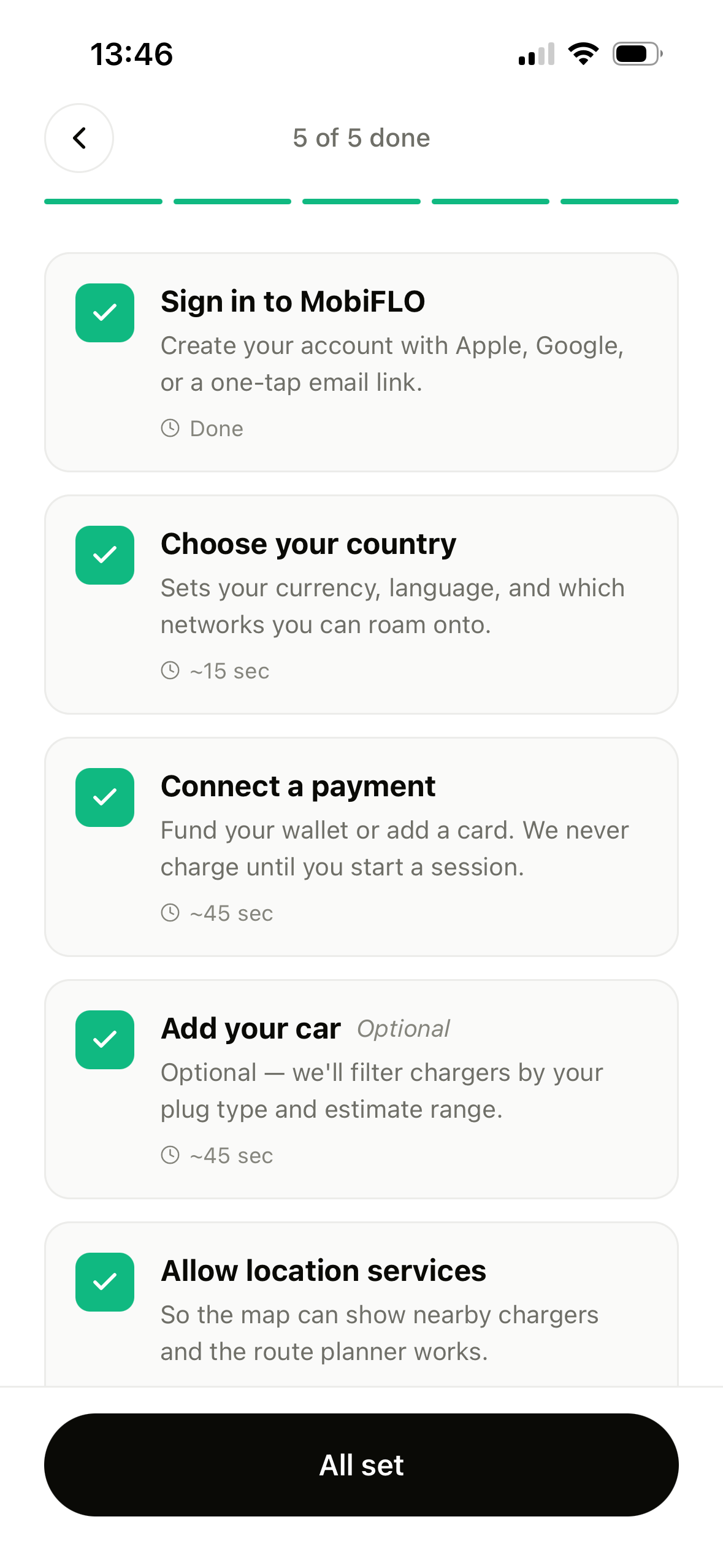
Country sets currency, language and roaming networks
Payment connects up front — charged only when a session starts
Adding a car is optional — it filters plugs and estimates range
Onboarding checklist, five of five done
1
The checklist tracks progress — 5 of 5 done
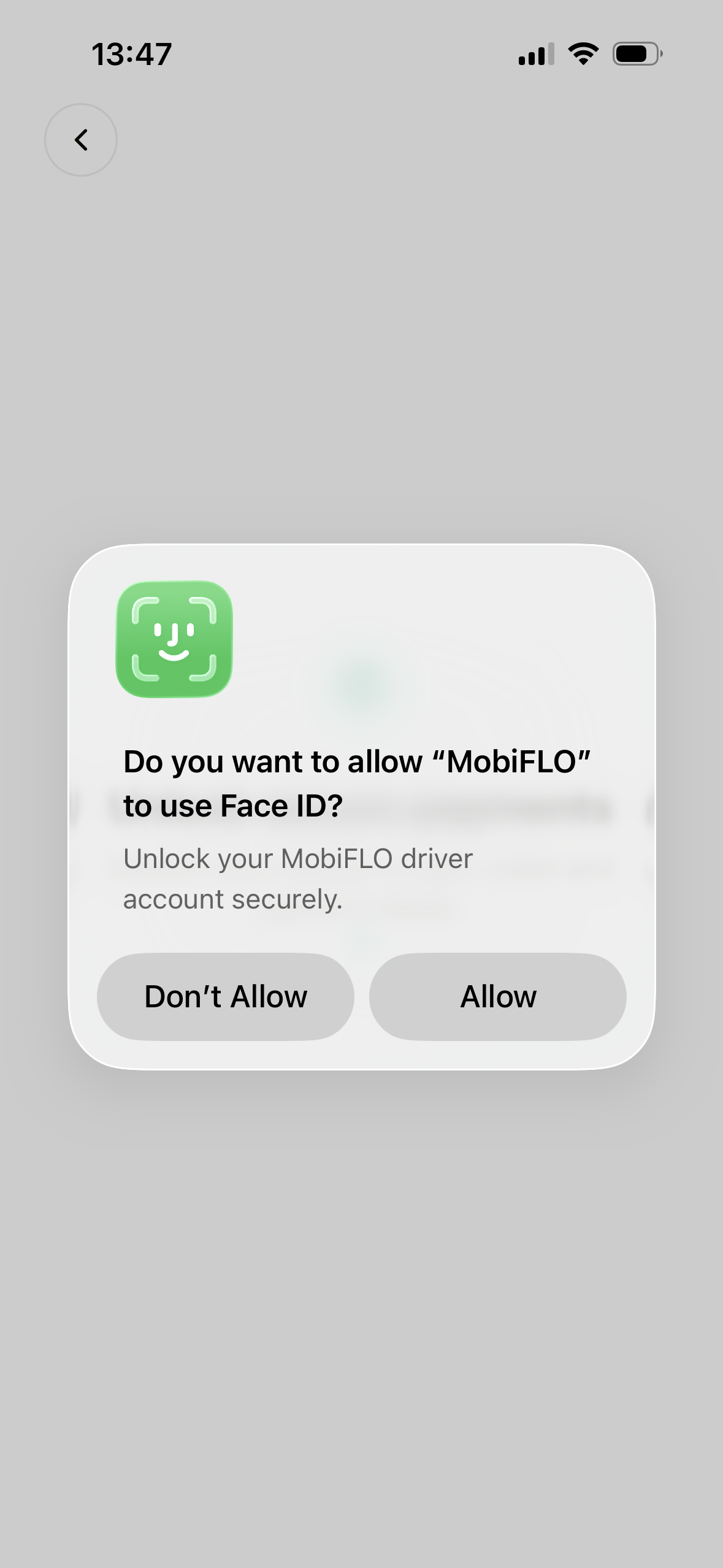
Face ID permission dialog
2
Face ID unlocks the account securely after setup
Driver app · Permissions

Location, explained first

A primer makes the case before iOS asks — so the system dialog is a confirmation, not a surprise.
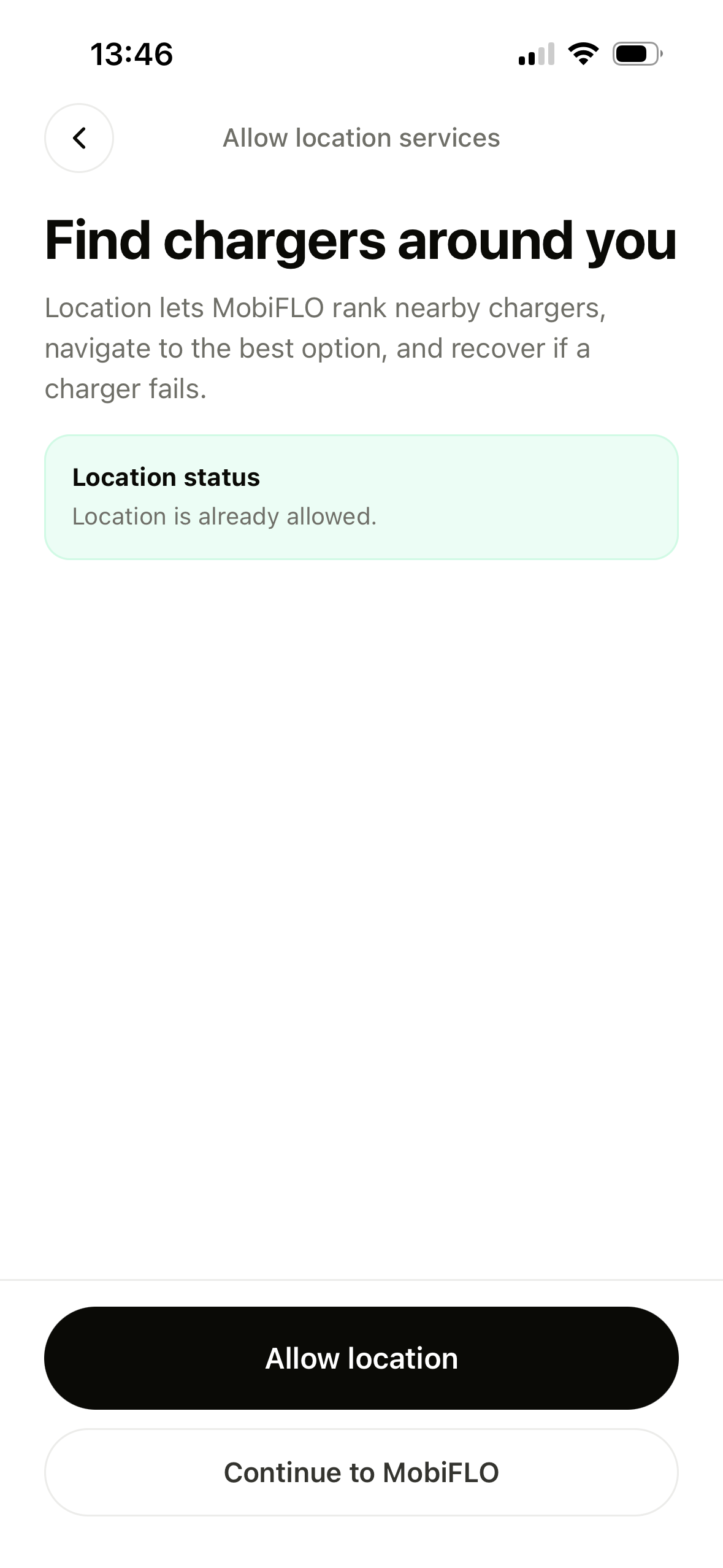
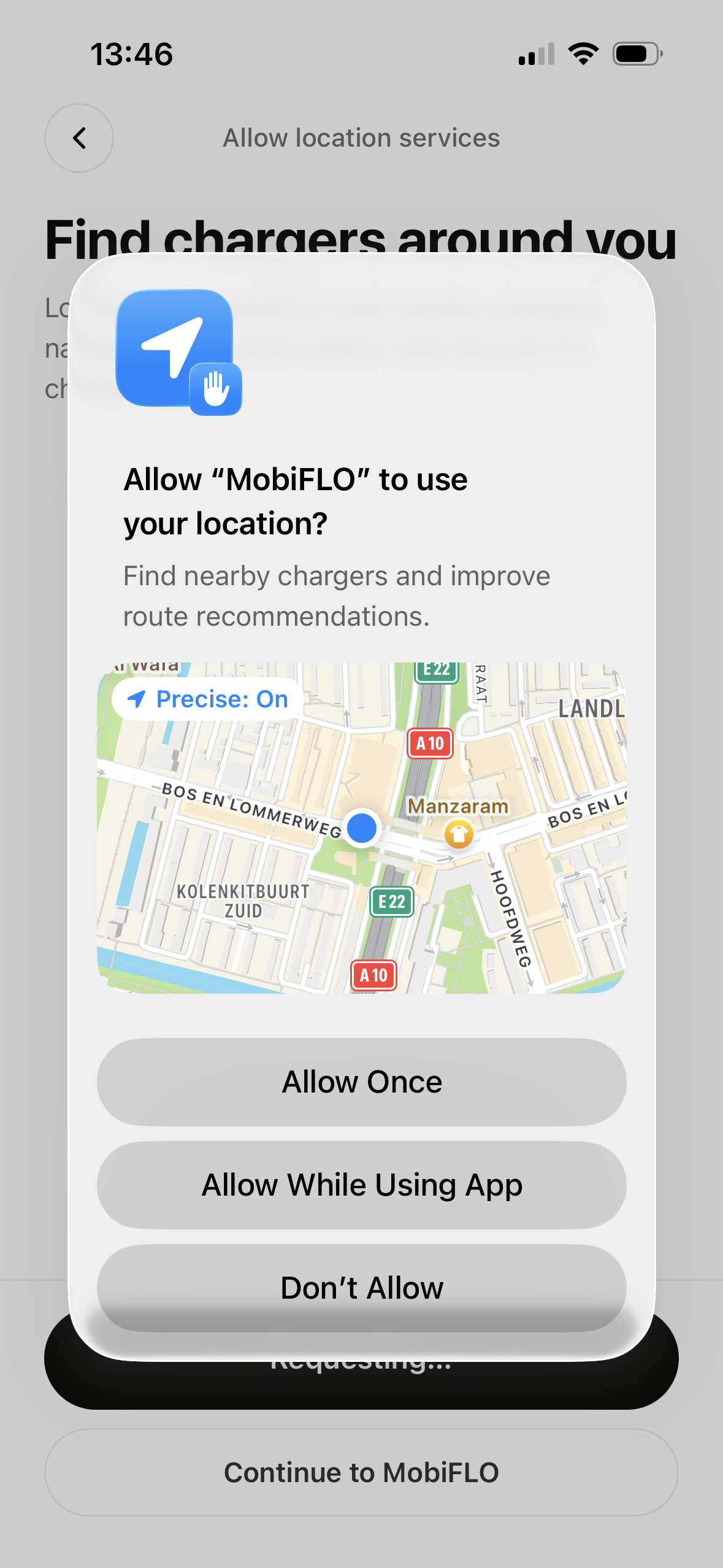
Location ranks nearby chargers and powers navigation
A status card reflects the current permission state
Skippable — "Continue to MobiFLO" always works
Location primer screen
1
The primer, with live permission status
iOS location permission dialog
2
The iOS prompt lands pre-justified, precise on
Driver app · Home

Home: two ways to charge

One tap answers "where are you?" — the app works out the rest.
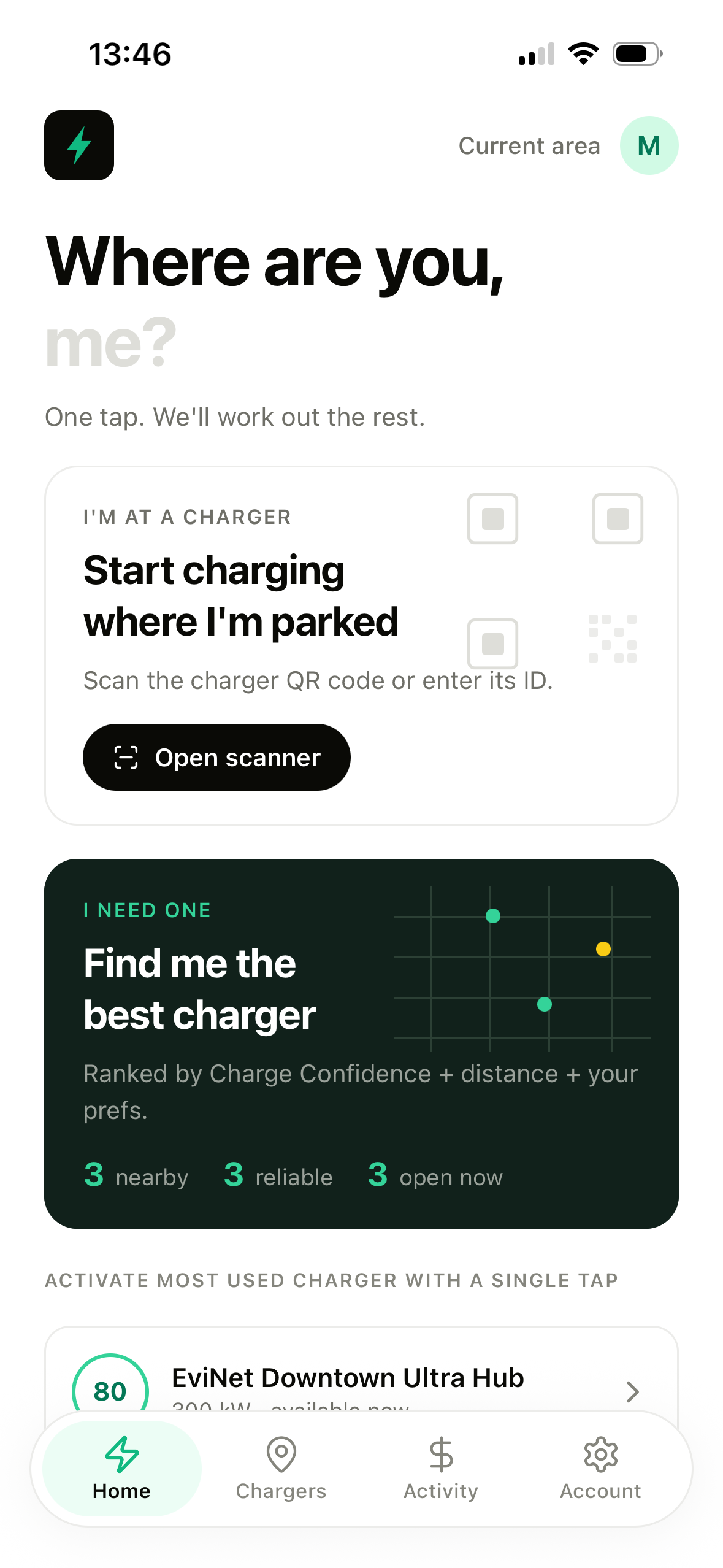
1
I'm at a charger
Scan the charger's QR code or enter its ID and start where you're parked.
2
I need one
Ranked by Charge Confidence + distance + your preferences — nearby, reliable, open now.
3
One-tap favourite
The most-used charger is pinned below for instant activation.
Driver app home screen
Driver app · Chargers

The charger map

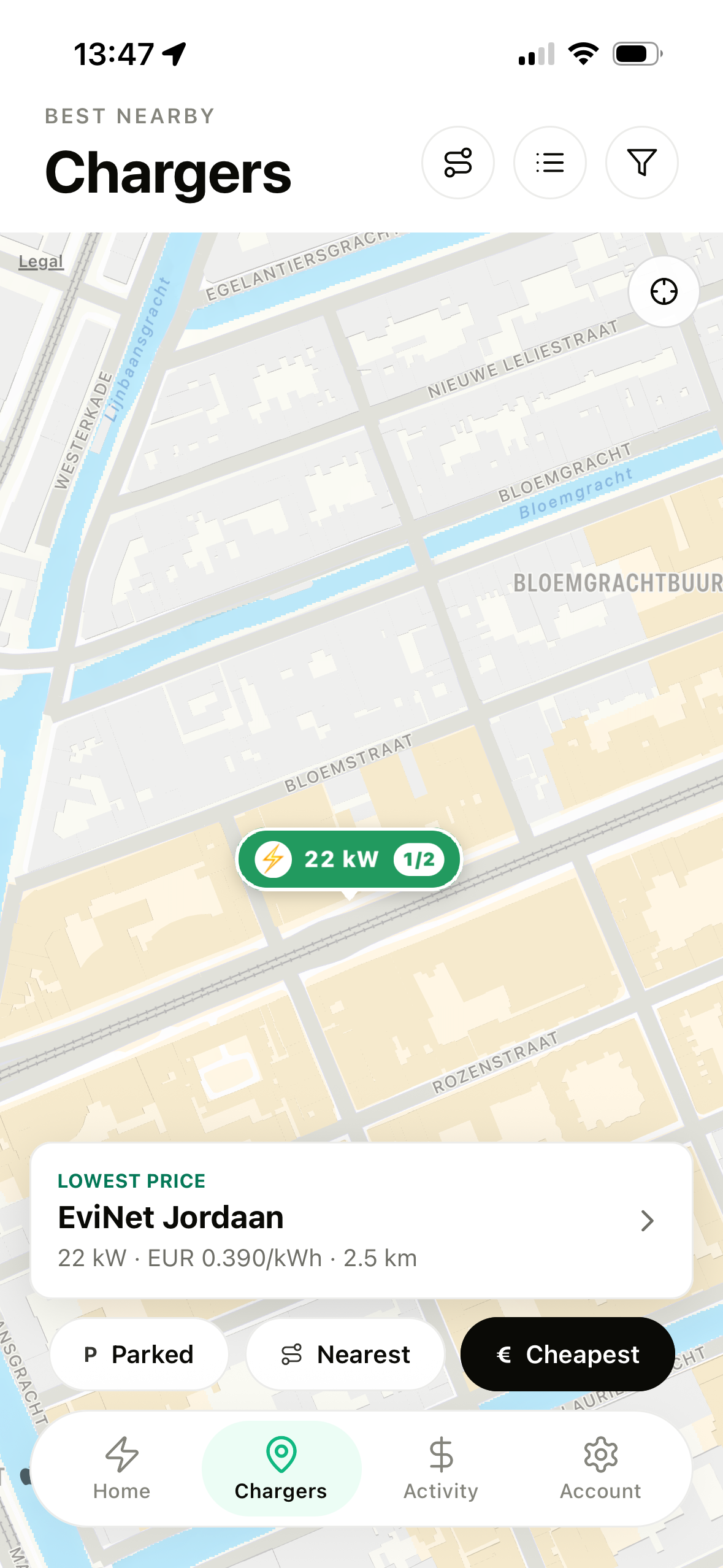
Live pins over the city — power, port availability and price at a glance.
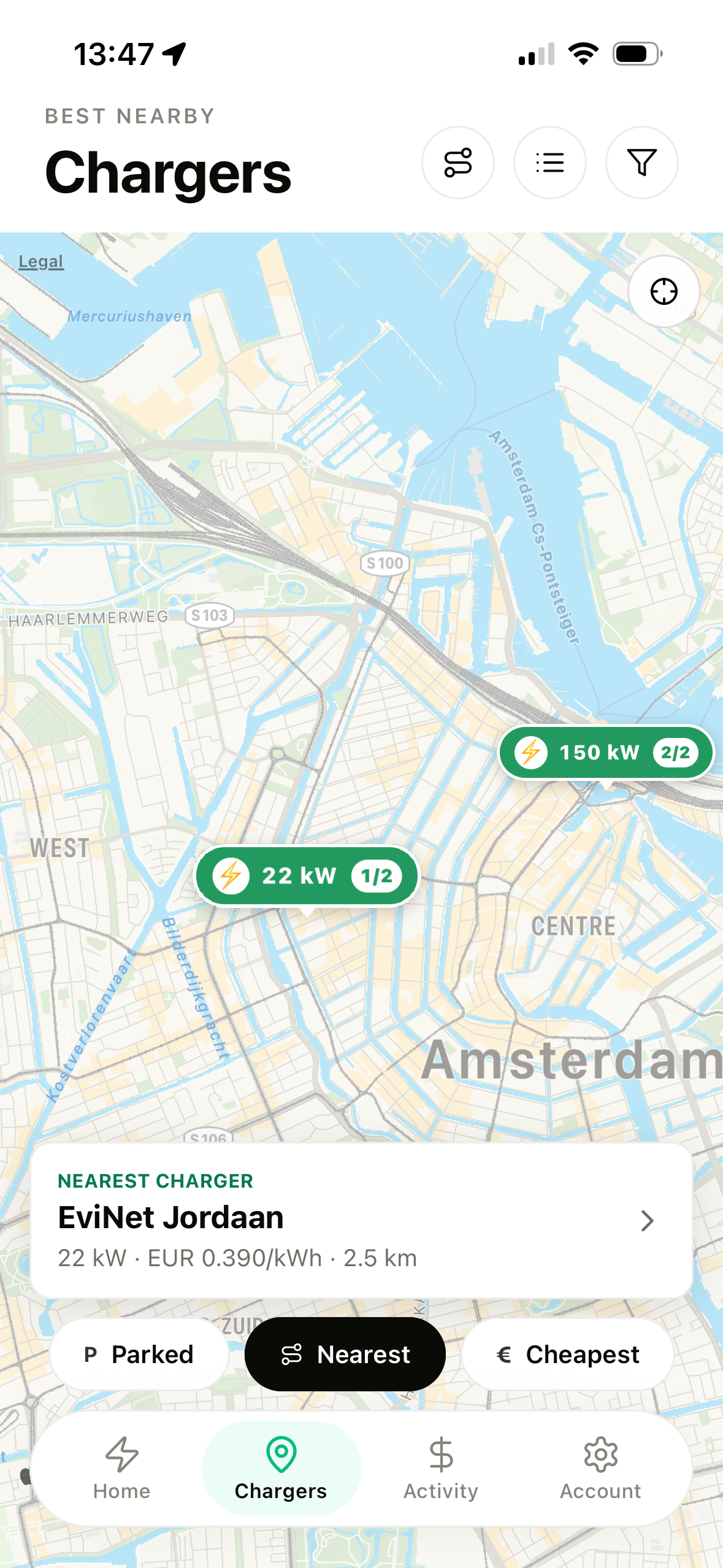
Pins show kW and free ports in real time
Quick sorts: Parked · Nearest · Cheapest
The best match surfaces with tariff and distance
Charger map sorted by nearest
1
Nearest — city view with live-status pins
Charger map sorted by cheapest
2
Cheapest — lowest €/kWh takes the card
Driver app · Charging

The live session

While the car charges, the app is a dashboard — updated from the charger itself over OCPP.
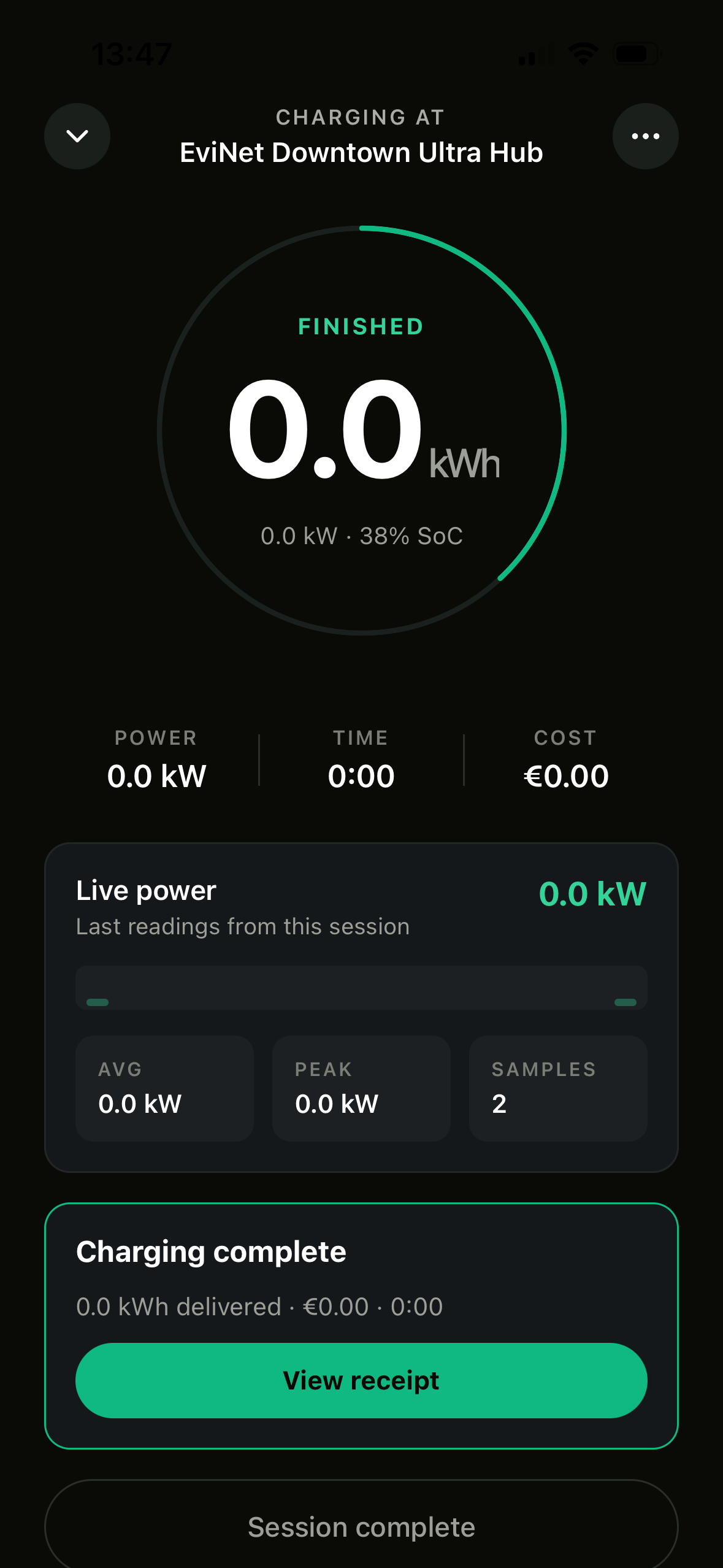
The ring tracks state and energy delivered, with SoC
Power · time · cost tick live through the session
Live power strip: average, peak and meter samples
On completion, a summary card leads to the receipt
Live charging session screen
Driver app · Activity

Activity and receipts

A full session history with statuses that don't hide anything — including failures.
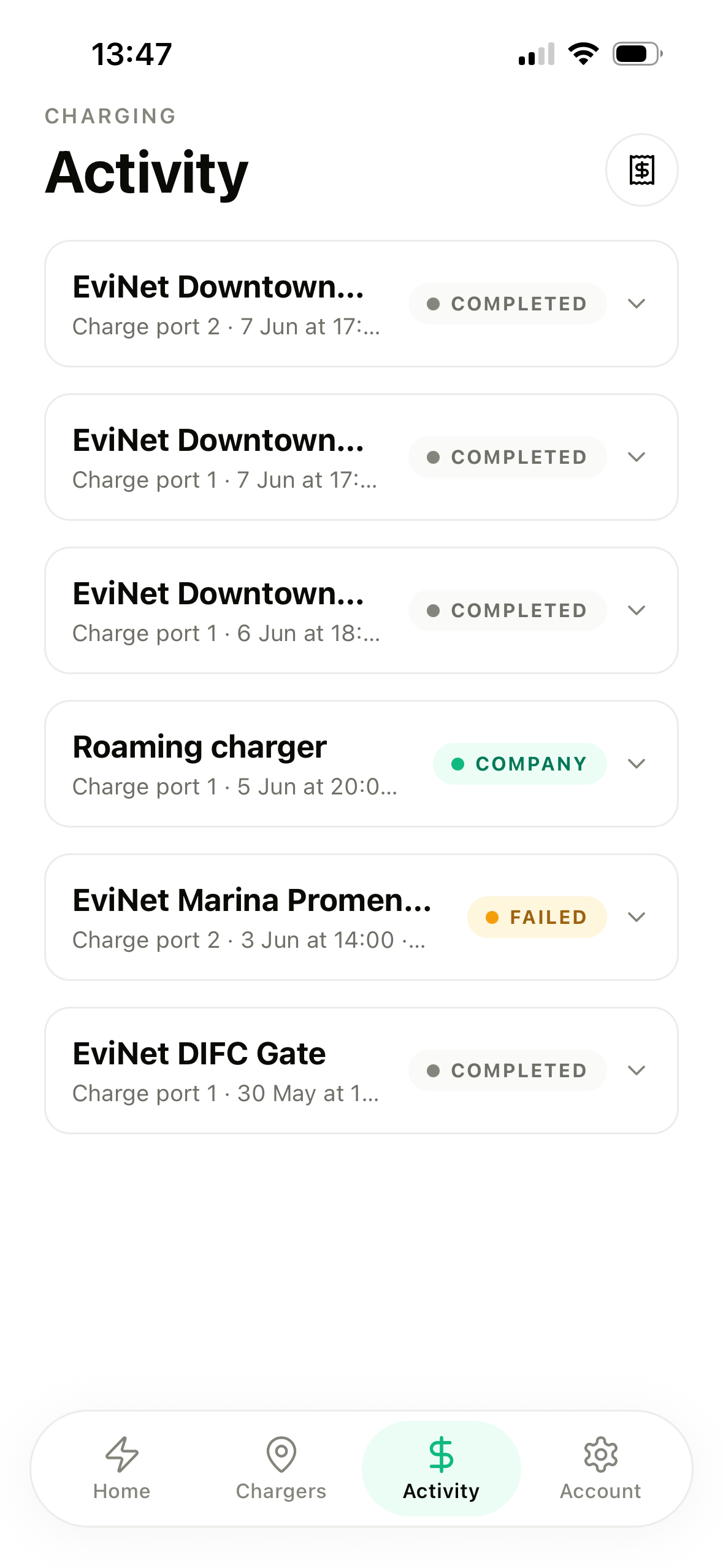
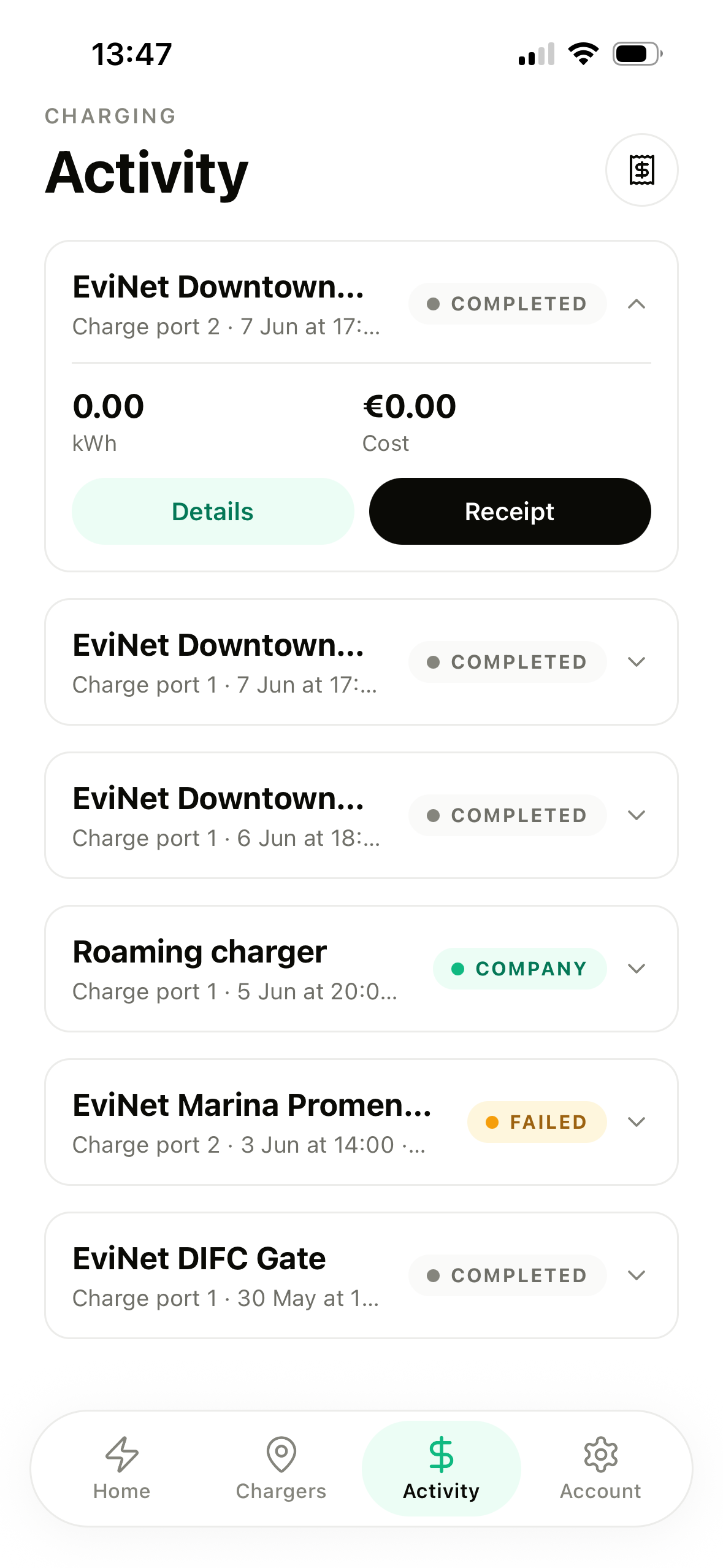
Completed, company-paid and failed, all labelled
Rows expand in place — kWh, cost, details, receipt
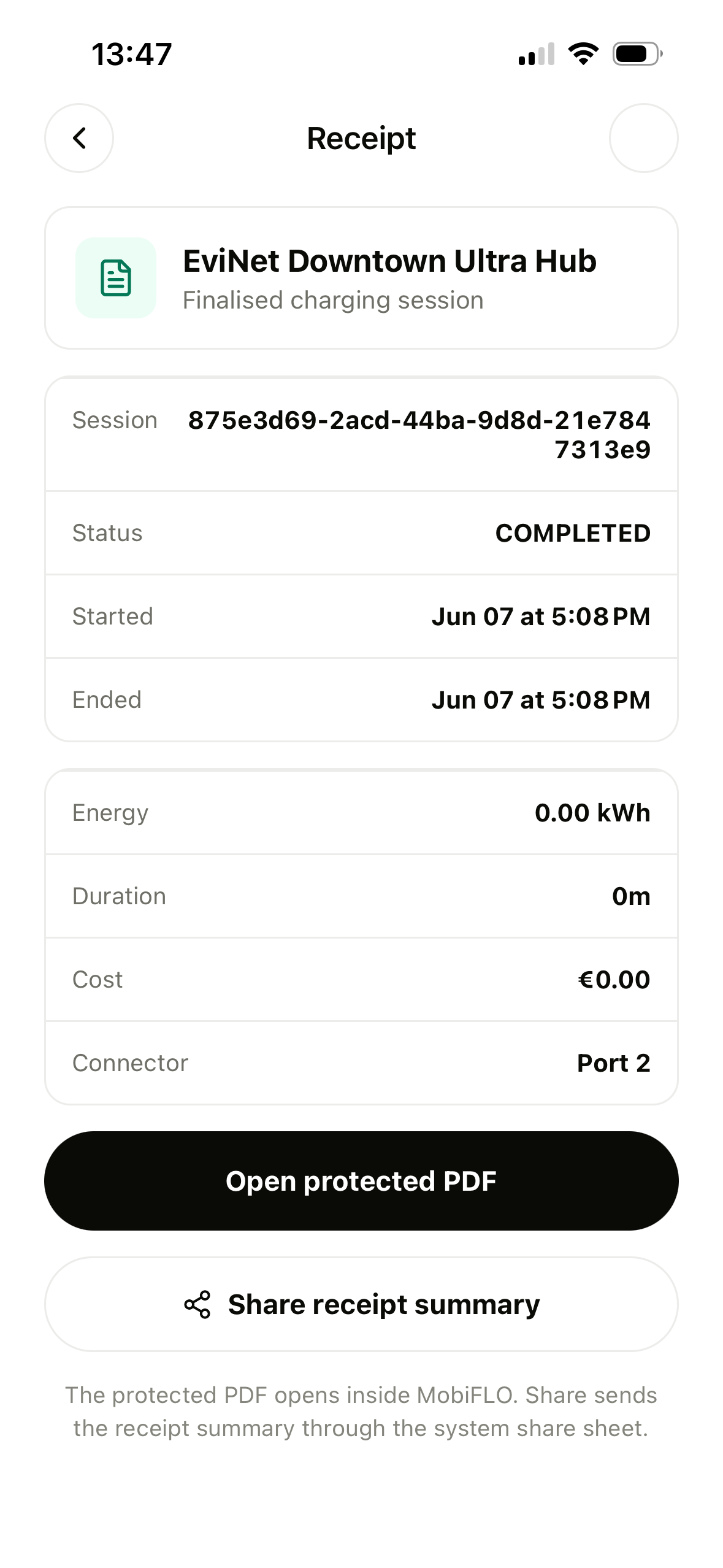
Receipts: session ID, protected PDF, share sheet
Activity list screen
1
The history, statuses up front
Activity row expanded
2
Expanded: energy, cost, actions
Receipt screen
3
The receipt — full audit trail
Driver app · Payments

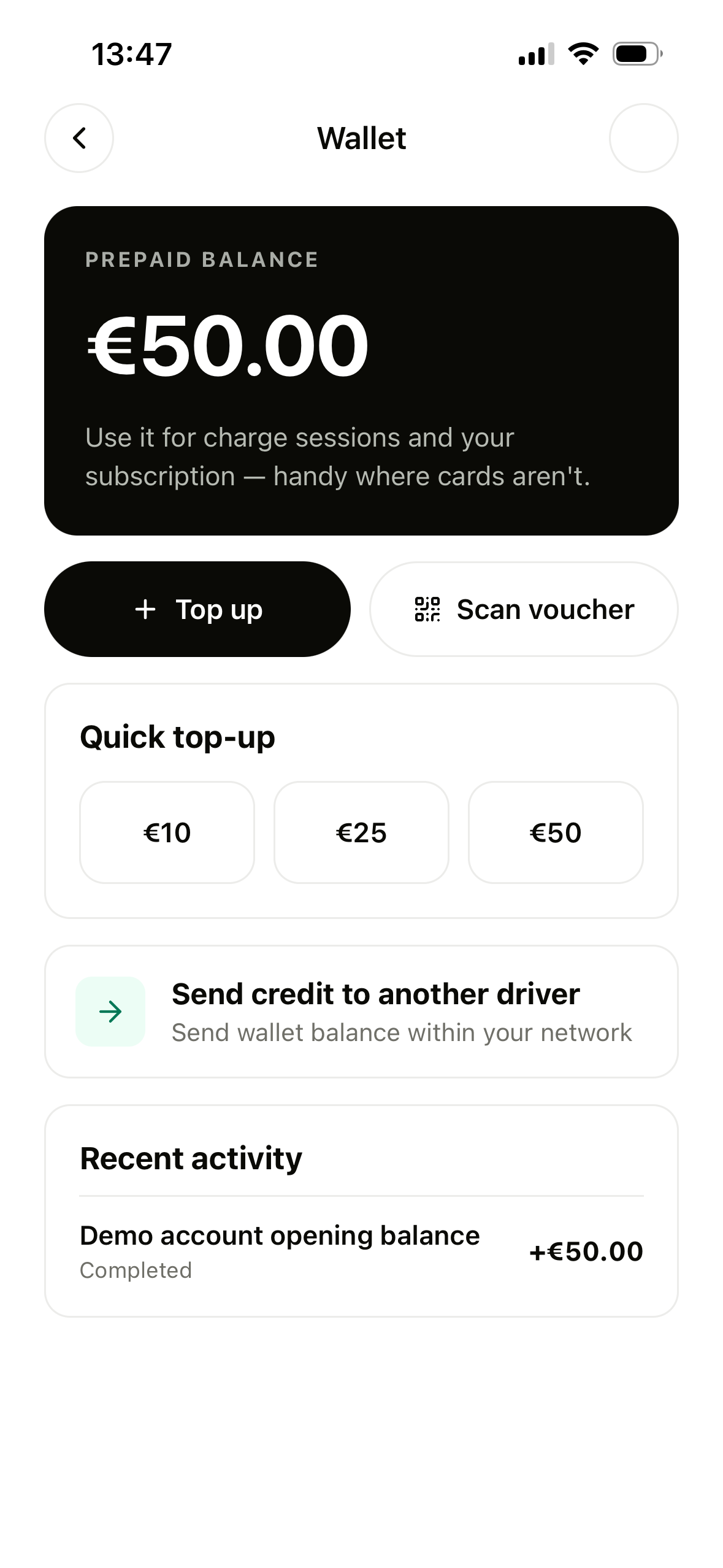
Wallet and payments

A prepaid balance for the places cards fail — with cards saved for everywhere else.
Quick top-ups and voucher scanning
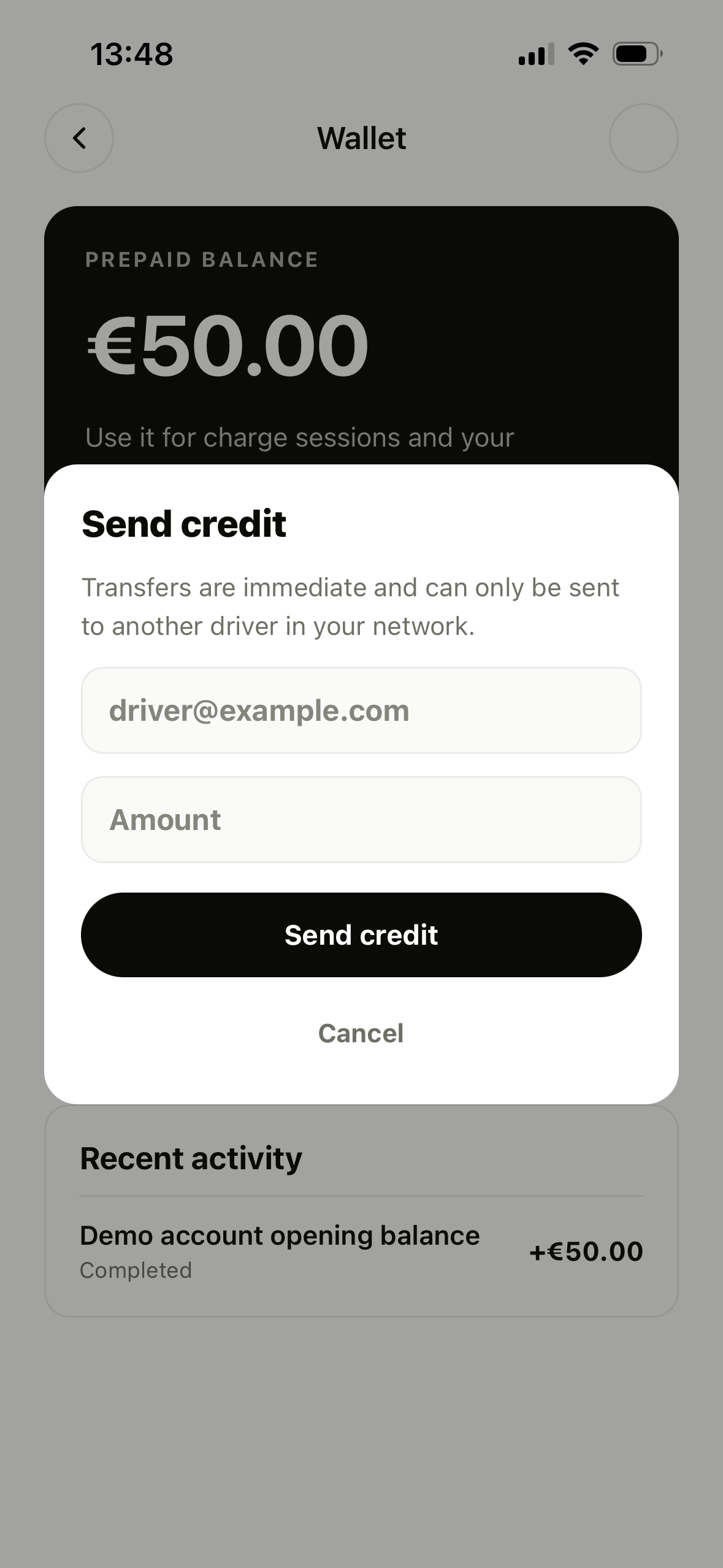
Send credit to another driver in the network, instantly
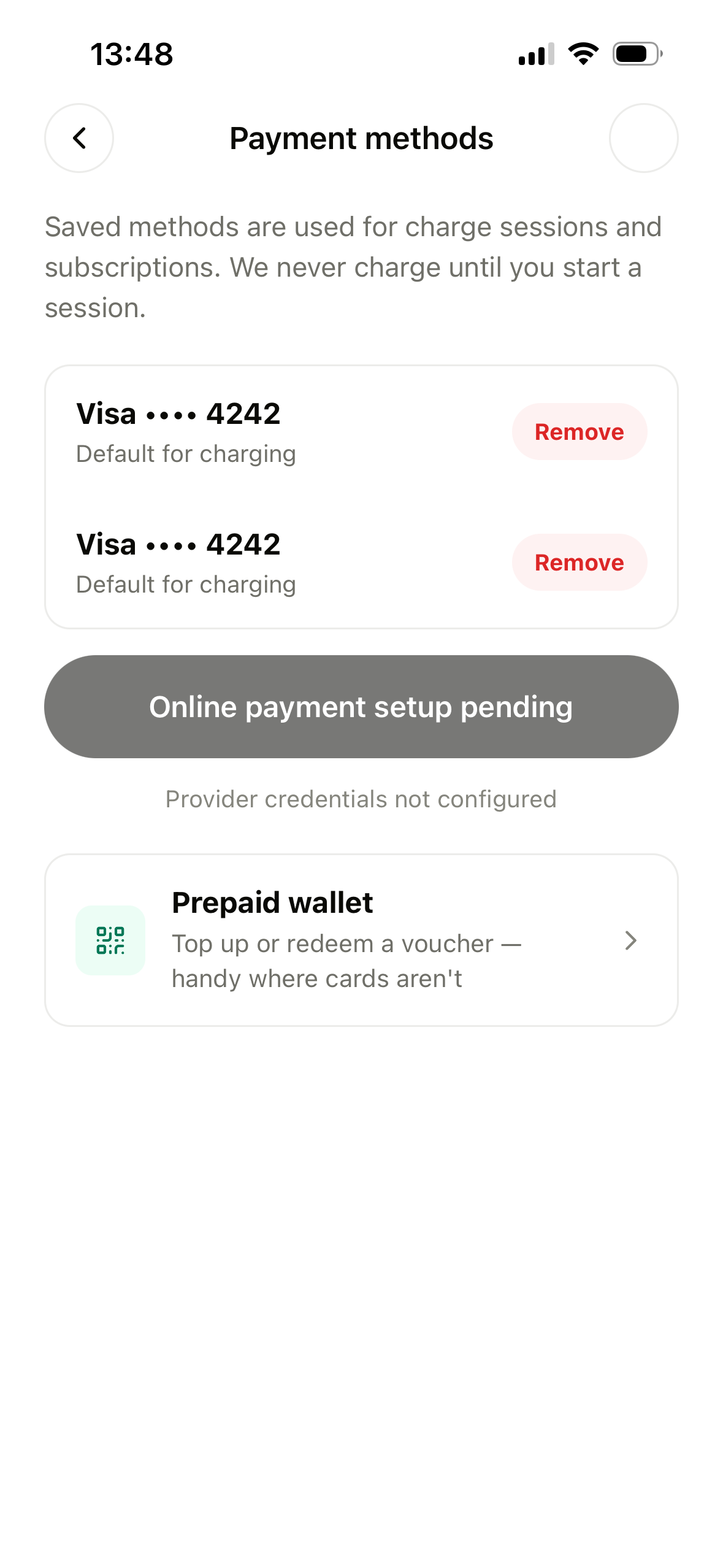
Saved cards — never charged until a session starts
Wallet screen with prepaid balance
1
The wallet — balance and top-ups
Send credit sheet
2
Peer-to-peer credit by email
Payment methods screen
3
Saved cards, wallet as fallback
Section 02

MobiFLO Lite

The operator console

Dashboard  ·  Chargers  ·  RFID  ·  Sessions  ·  Sites  ·  Map  ·  Roaming  ·  Settings

02
Operator console · Home

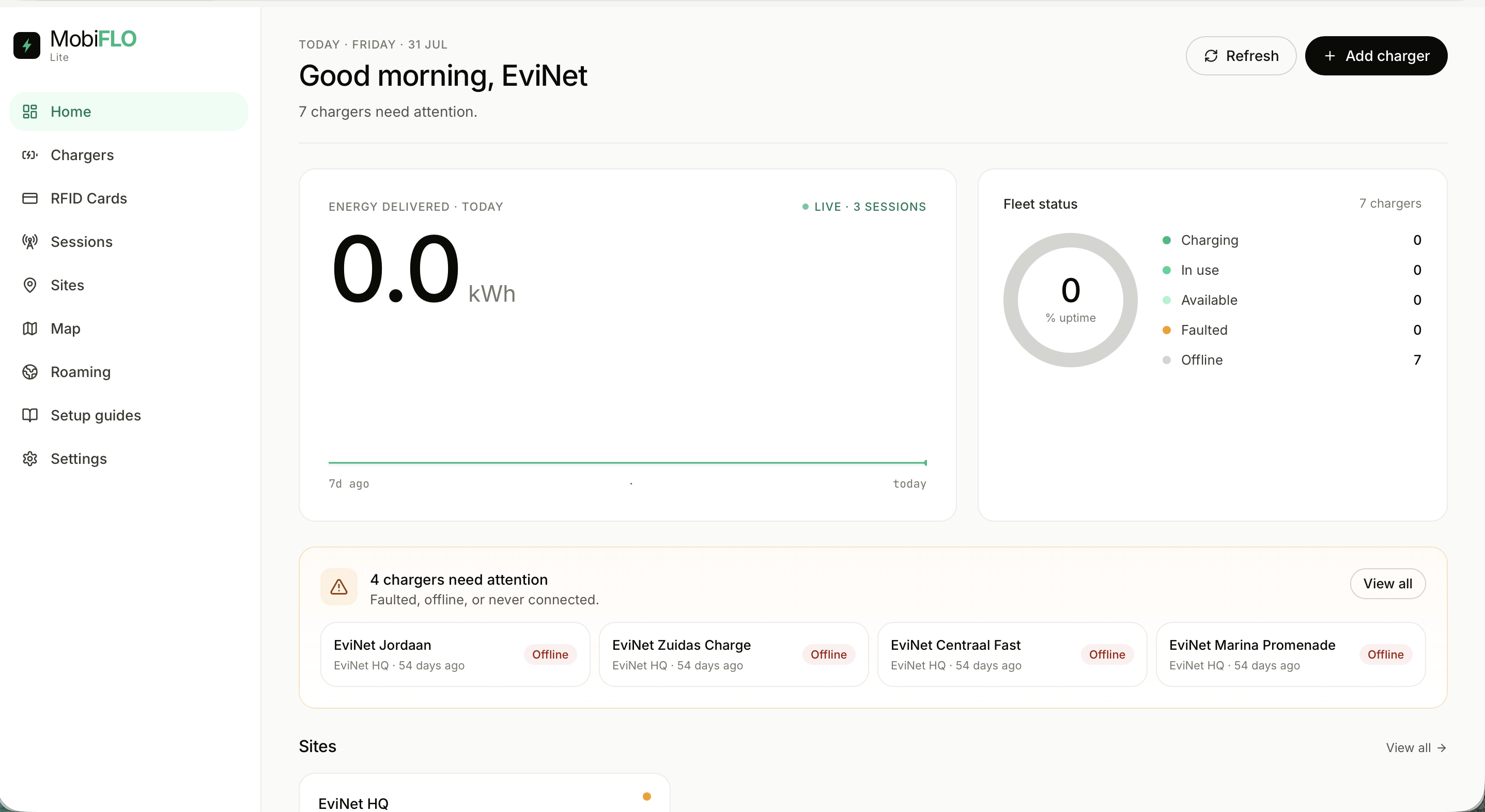
Fleet at a glance

Energy, uptime and live sessions on one page — with problems called out by name.
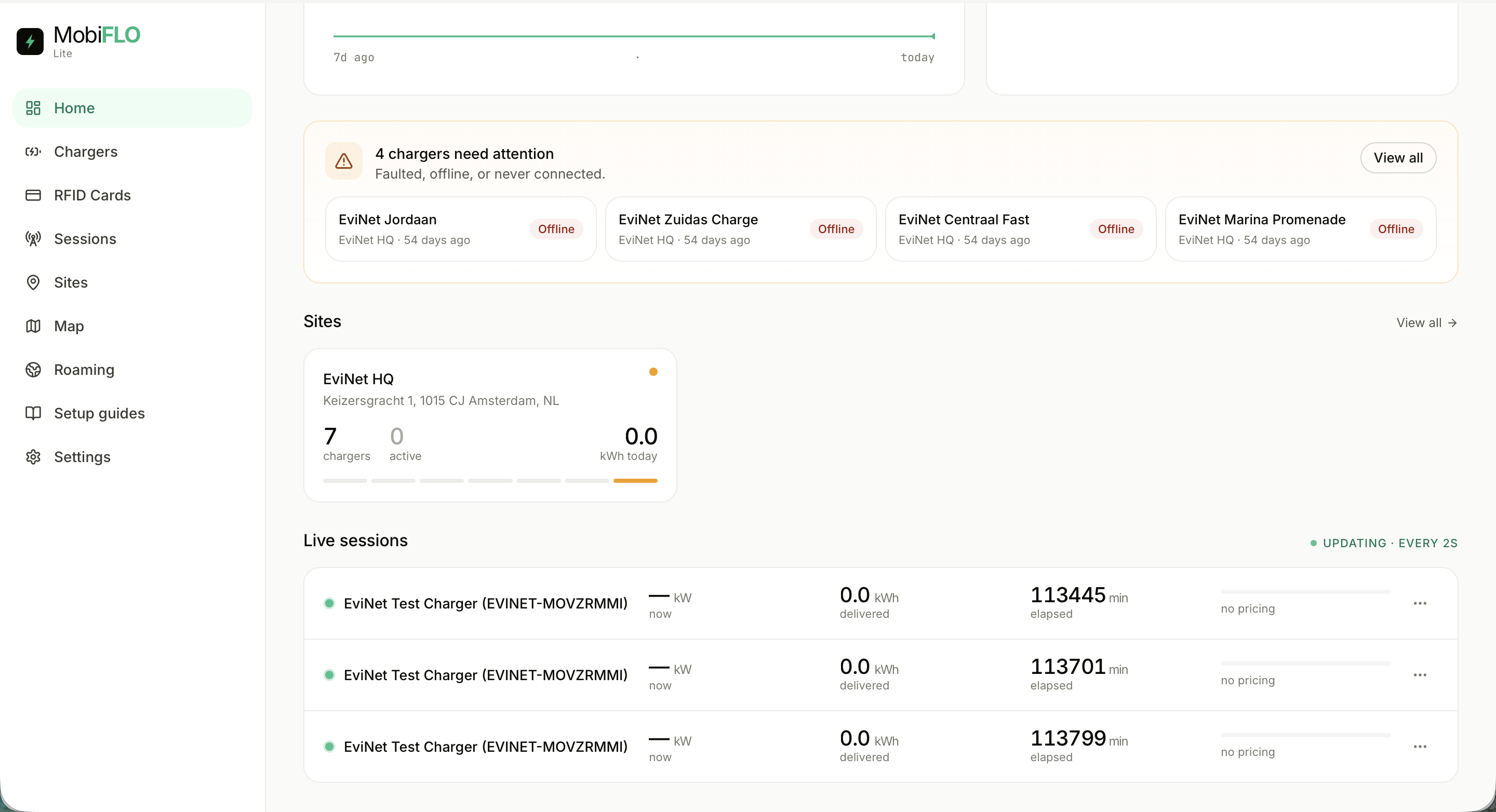
Dashboard scrolled: attention row, sites, live sessions Operator dashboard home
1
The greeting leads with what matters: 7 chargers need attention
2
Fleet status donut: charging, in use, available, faulted, offline
3
Below the fold: site rollups and live sessions, updating every 2s
Operator console · Chargers

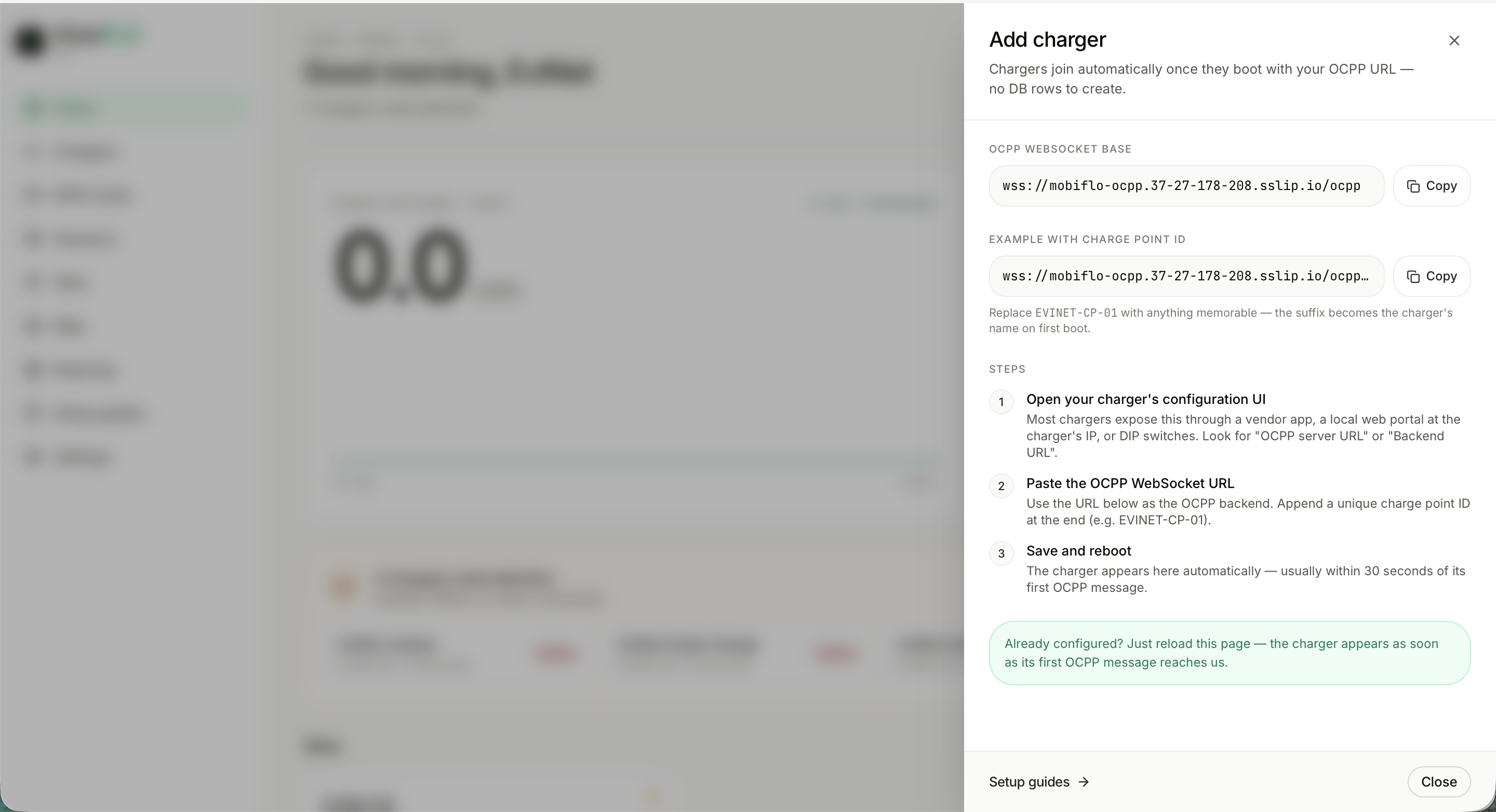
Charger onboarding over OCPP

No rows to create — chargers join by pointing at one URL.
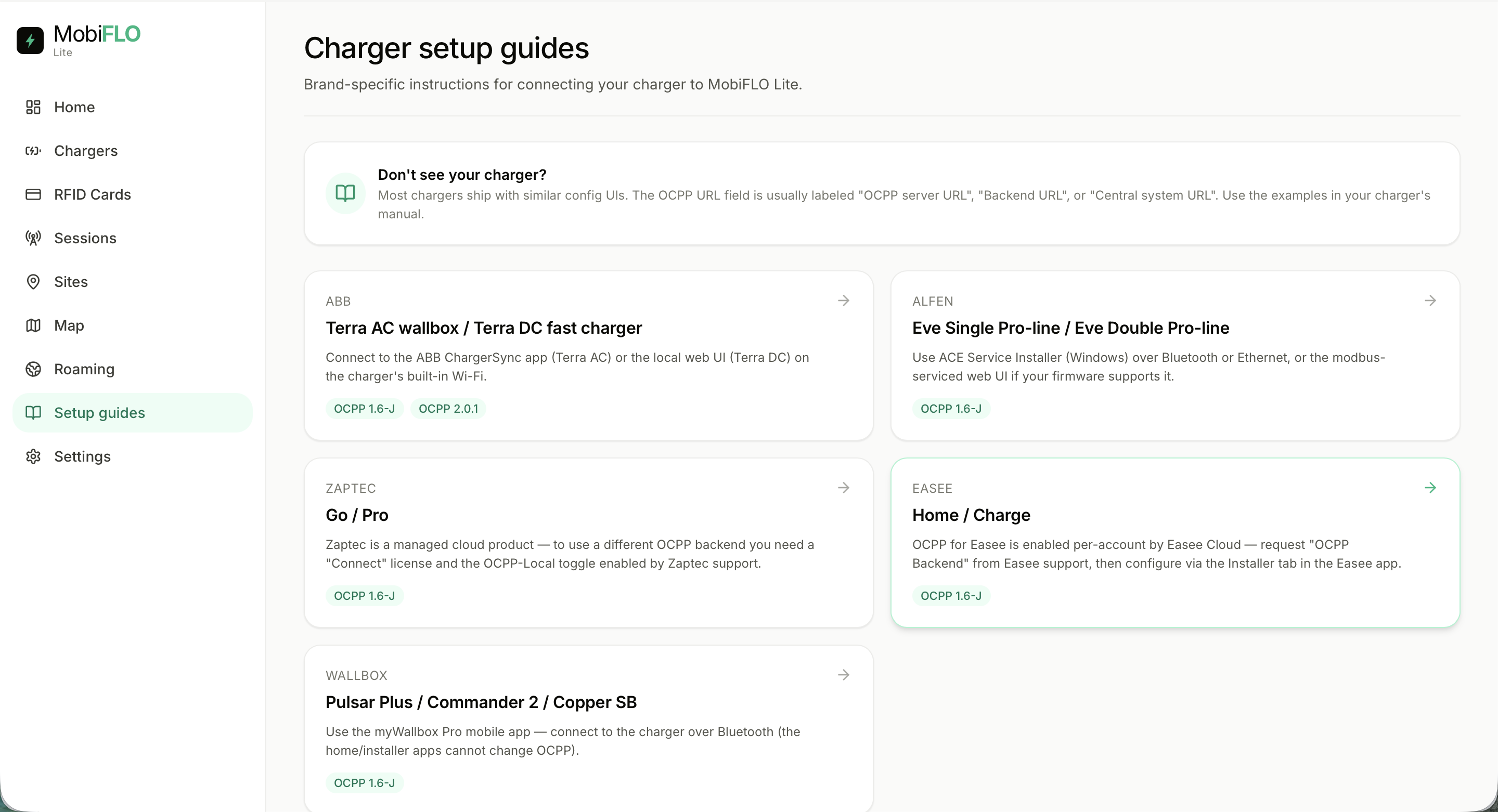
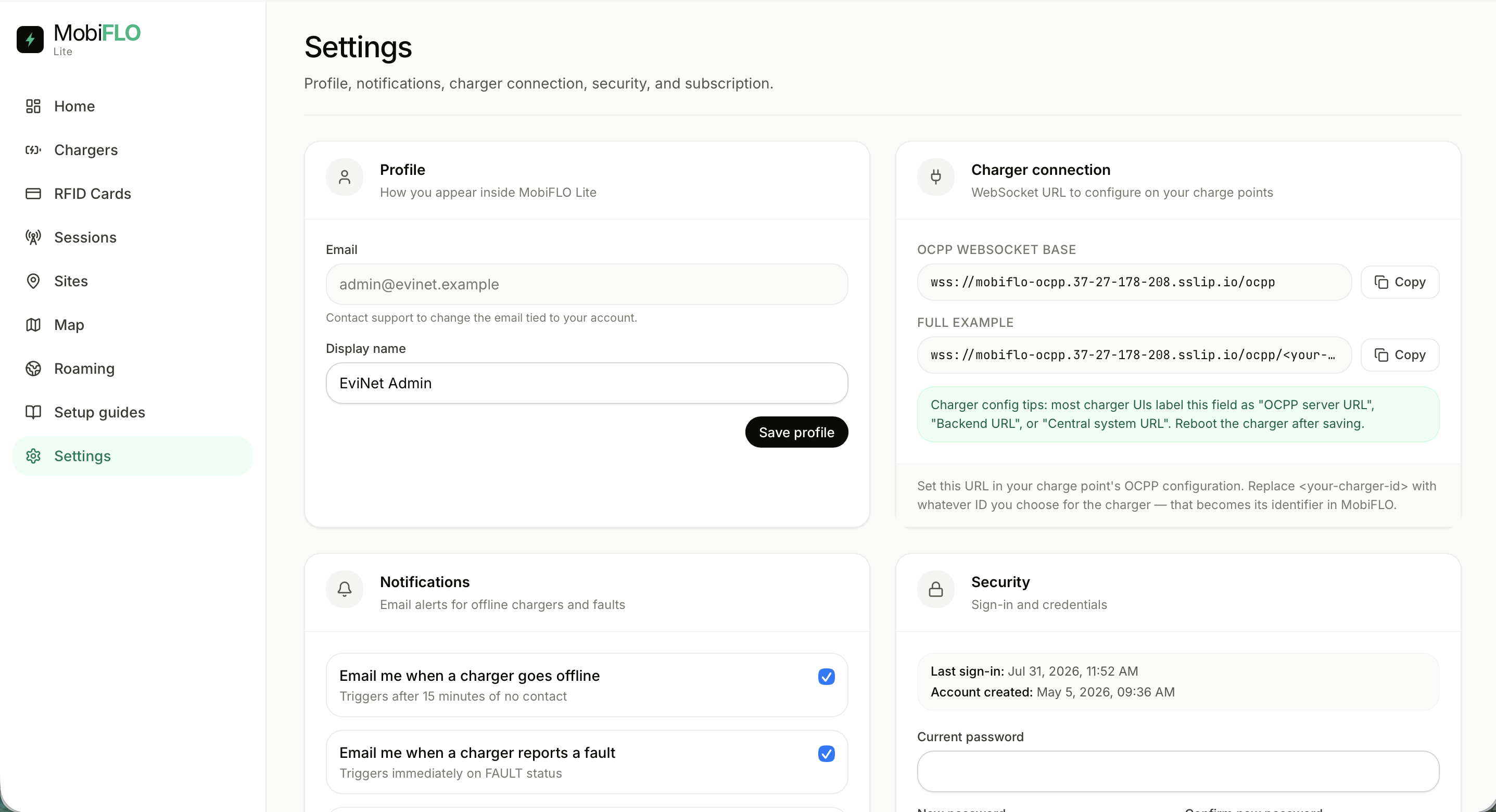
Brand-specific charger setup guides Add charger drawer with OCPP URL
1
Paste the WebSocket URL into the charger's config — the ID suffix becomes its name
2
It appears on first boot — usually within 30 seconds
3
Setup guides per brand: ABB, Alfen, Zaptec, Easee, Wallbox — OCPP 1.6-J and 2.0.1
Operator console · Chargers

The charger list

Status, energy and history for every unit — searchable by name, model or OCPP ID.
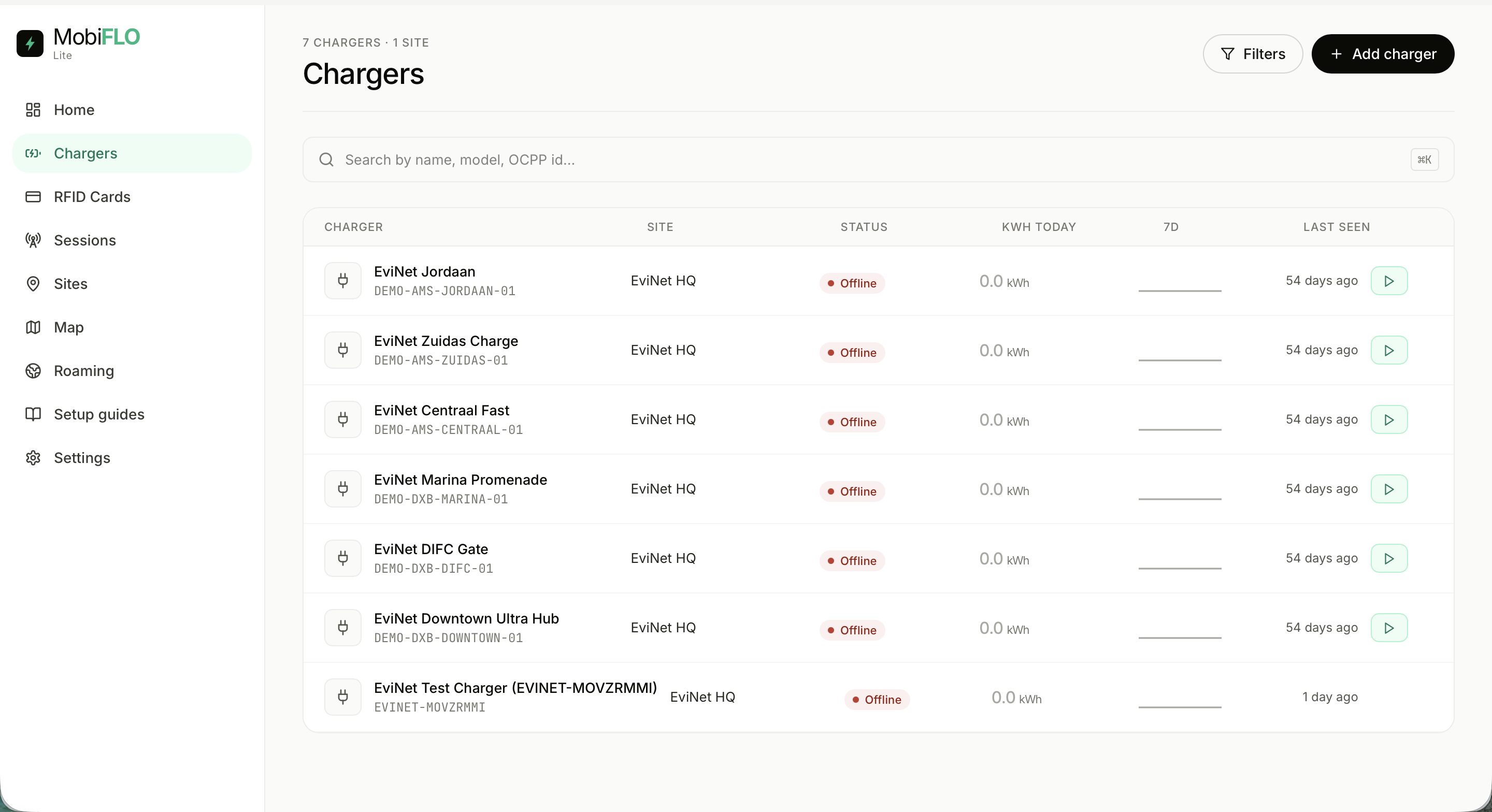
Chargers table
1
Per-charger status, kWh today and a 7-day sparkline
2
Last seen makes dead units impossible to miss
3
One-click session start for testing, right from the row
Operator console · RFID

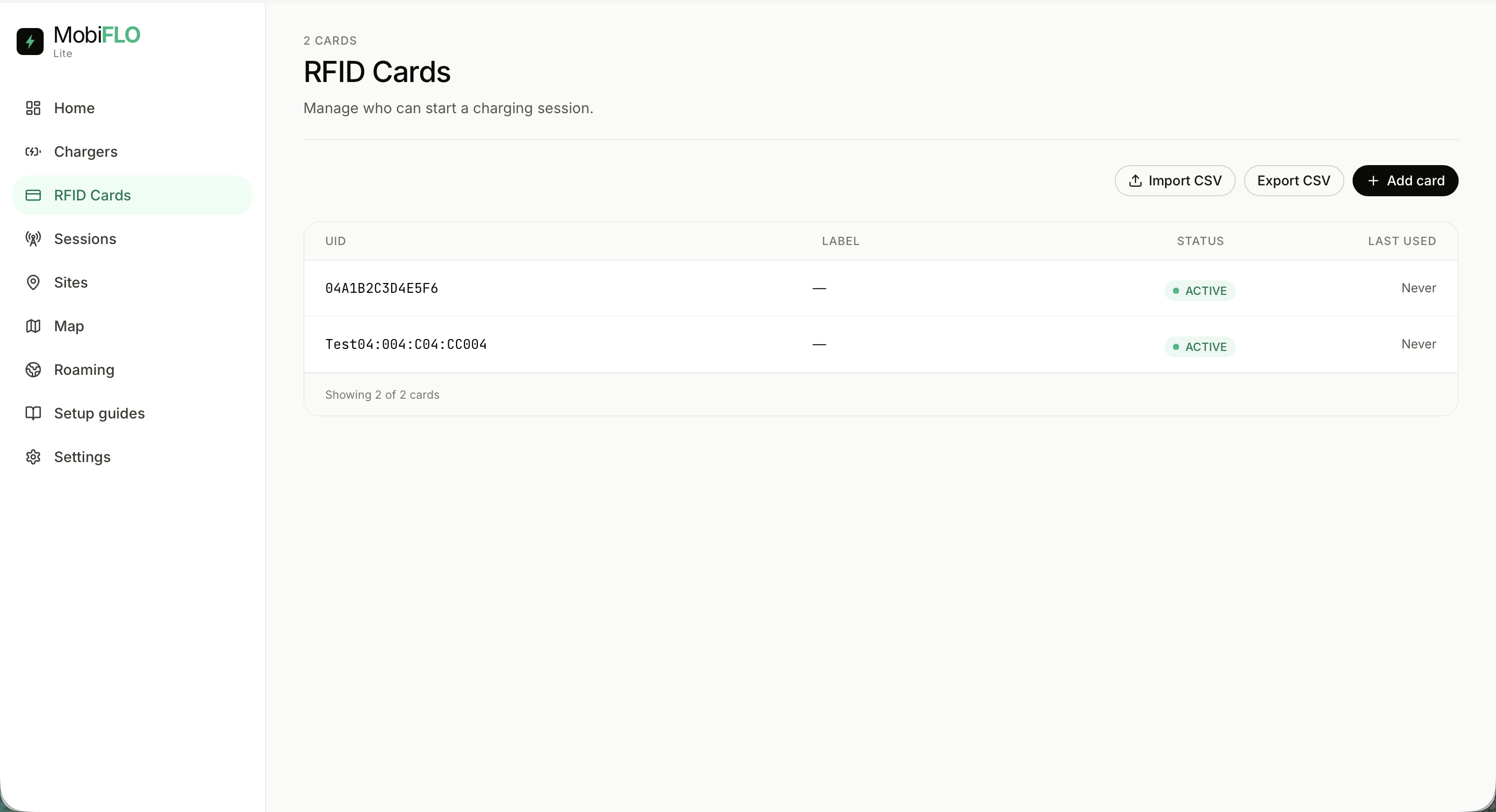
RFID access control

Cards decide who can start a session — managed like a spreadsheet.
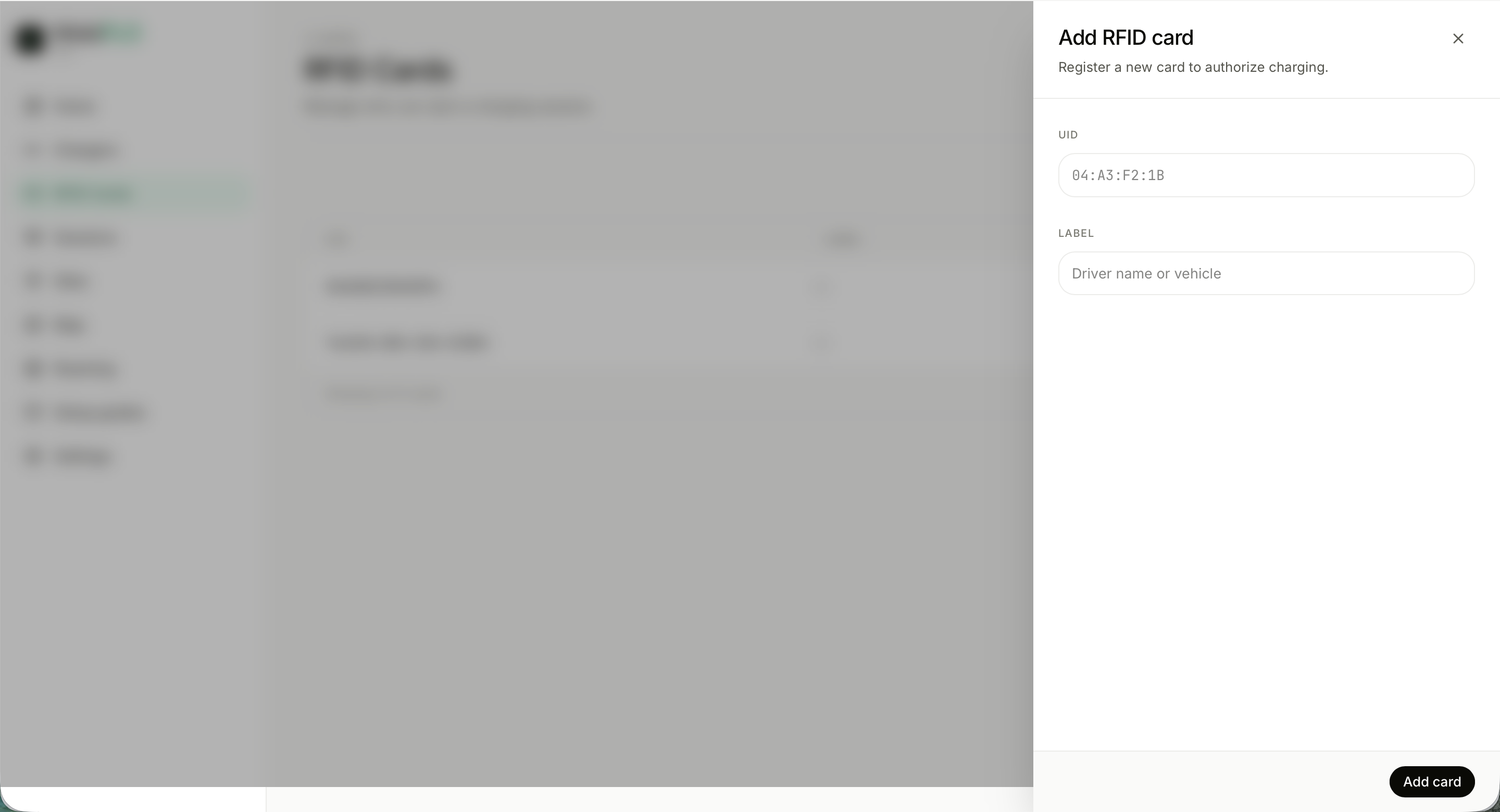
Add RFID card drawer RFID cards table
1
Every card: UID, label, status, last used
2
CSV import and export for existing fleets
3
Adding a card takes a UID and an optional driver or vehicle label
Operator console · Sessions

Session history and export

Every session the network has ever run — one CSV away from the books.
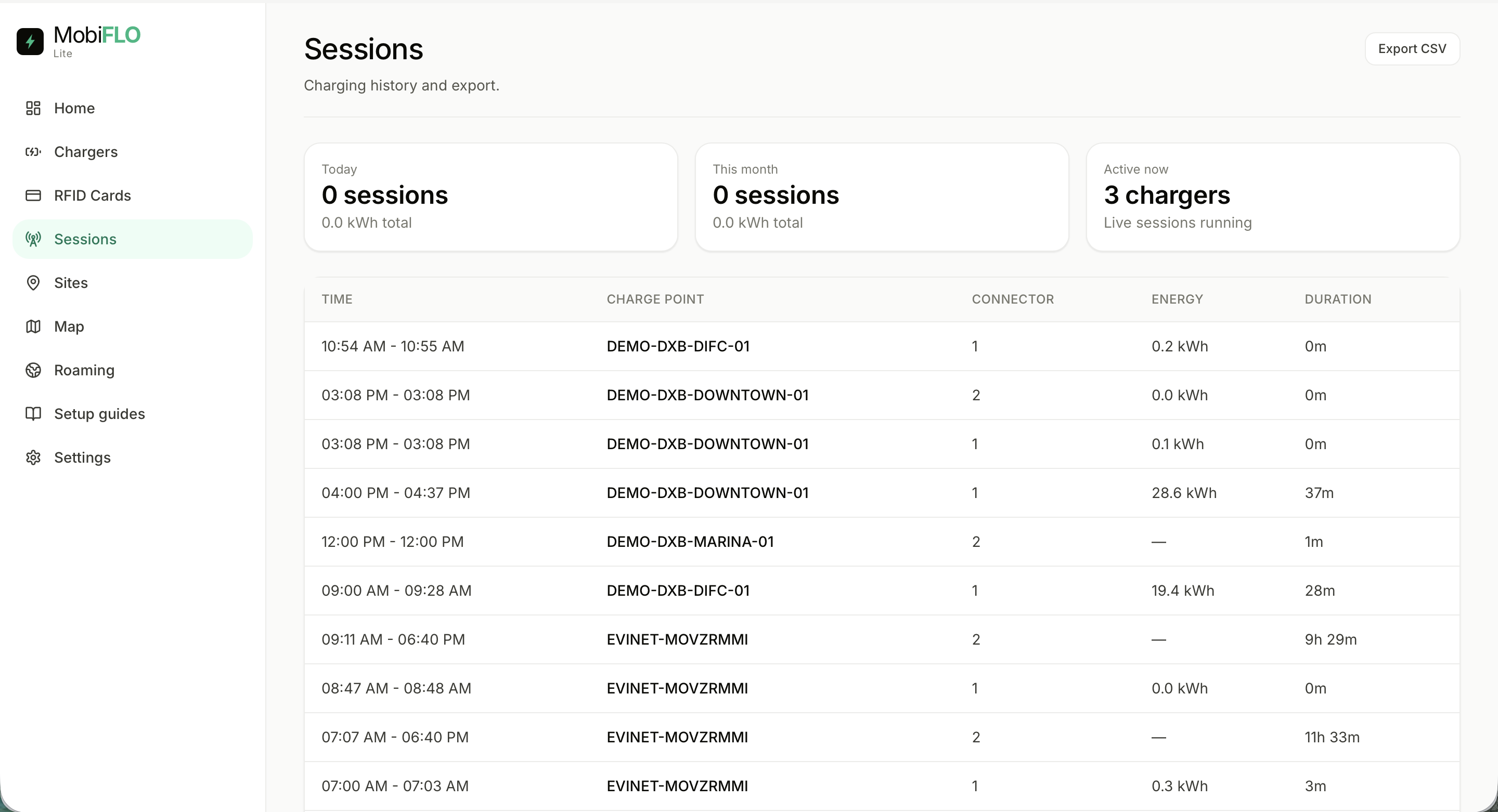
Sessions table with stats
1
Rollups: today, this month, active now
2
Per session: time window, charge point, connector, energy, duration
3
Export CSV feeds billing and reporting downstream
Operator console · Sites

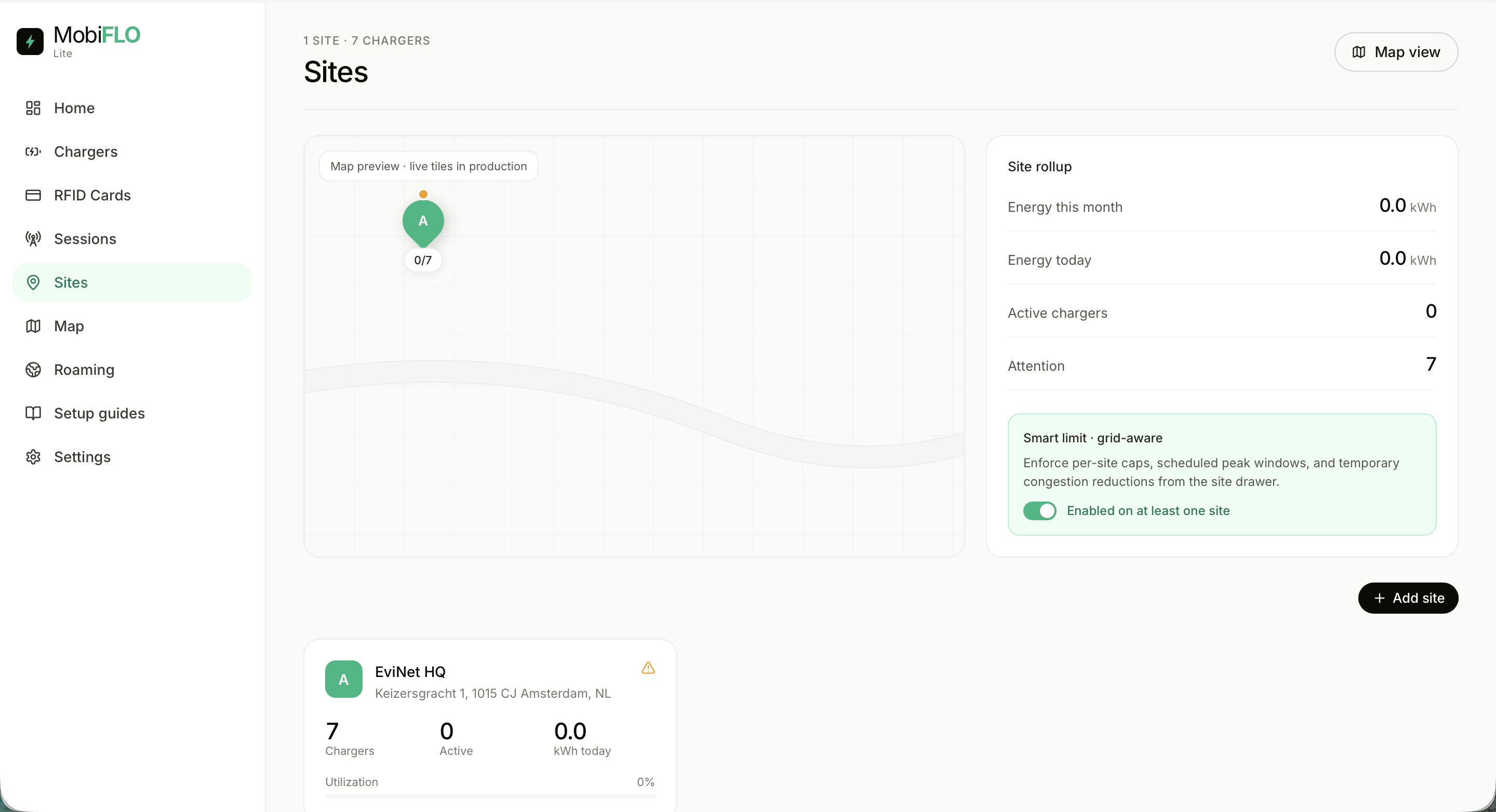
Sites and load management

Group chargers under a location — then give the site a power budget.
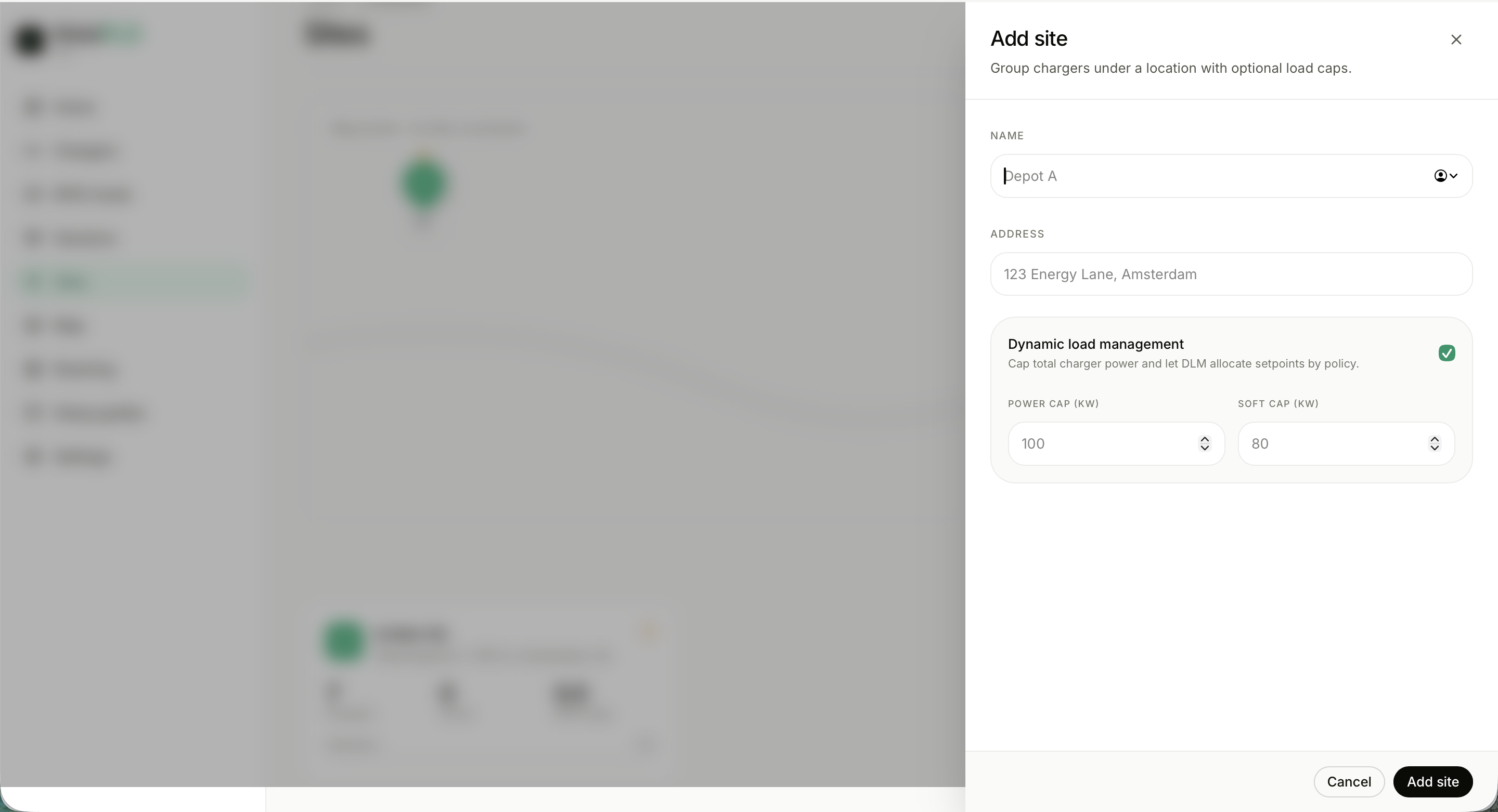
Add site drawer with dynamic load management Sites overview with map preview and rollup
1
Site rollup: energy, active chargers, attention count
2
Dynamic load management: a hard power cap plus a soft cap, allocated by policy
3
Grid-aware smart limits: peak windows and temporary congestion reductions
Operator console · Map

The fleet map

Geography and status in one view — from Amsterdam to Dubai.
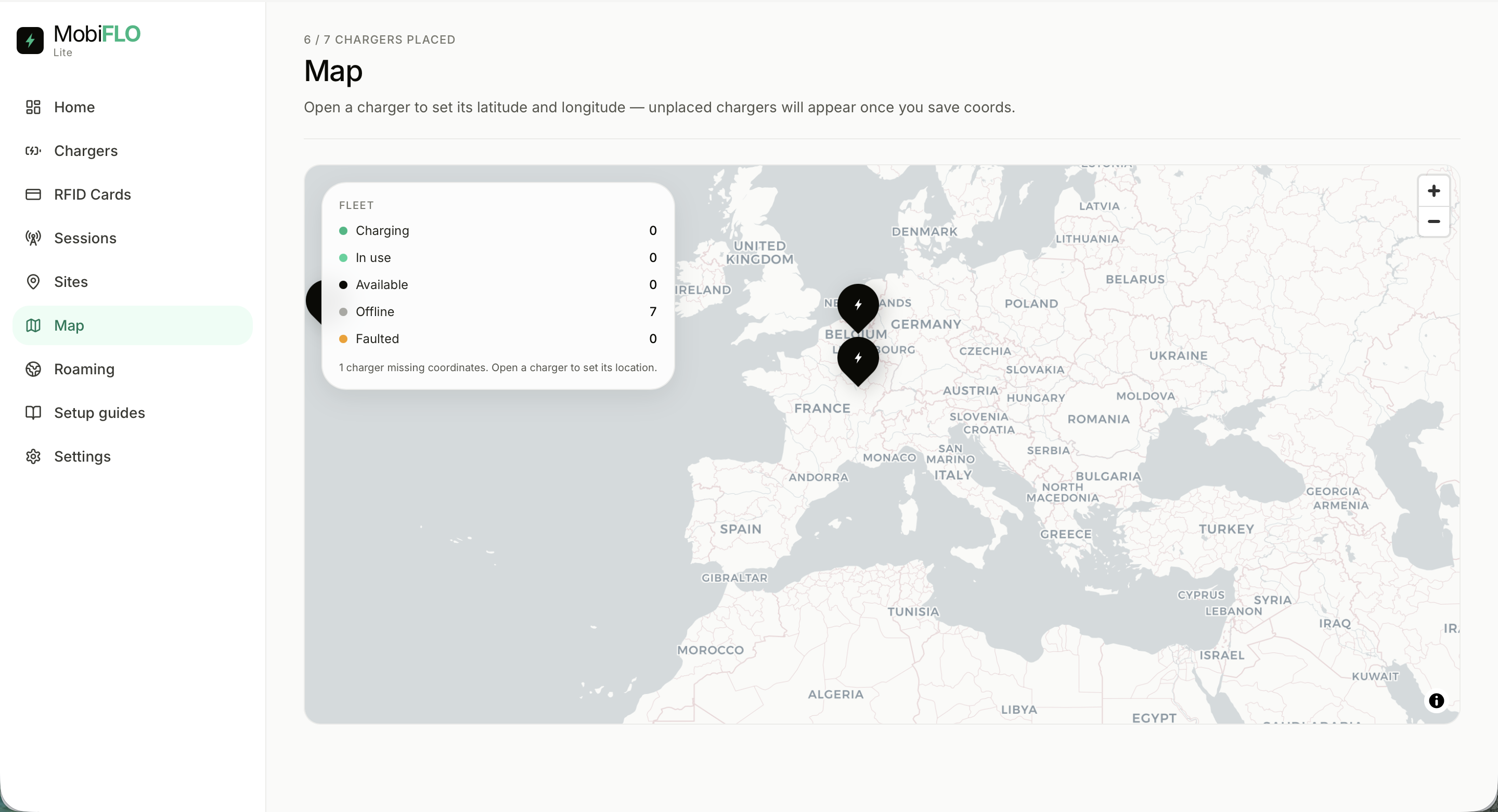
Fleet map of Europe
1
Fleet legend counts every state at a glance
2
Pins cluster by site; open a charger to set coordinates
3
Unplaced chargers are flagged until they get a location
Operator console · Roaming

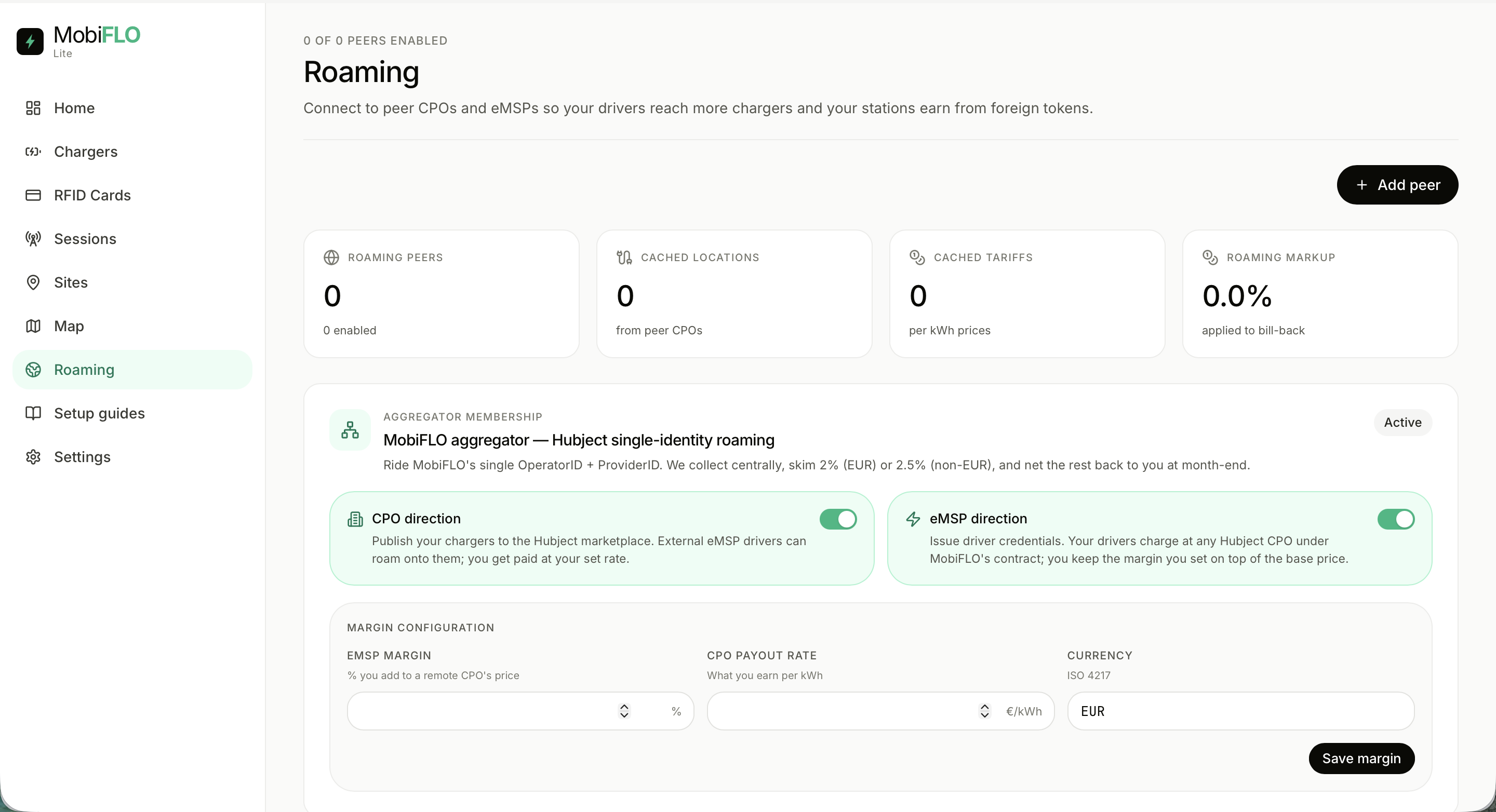
Roaming: OCPI and Hubject

Drivers reach more chargers; stations earn from foreign tokens.
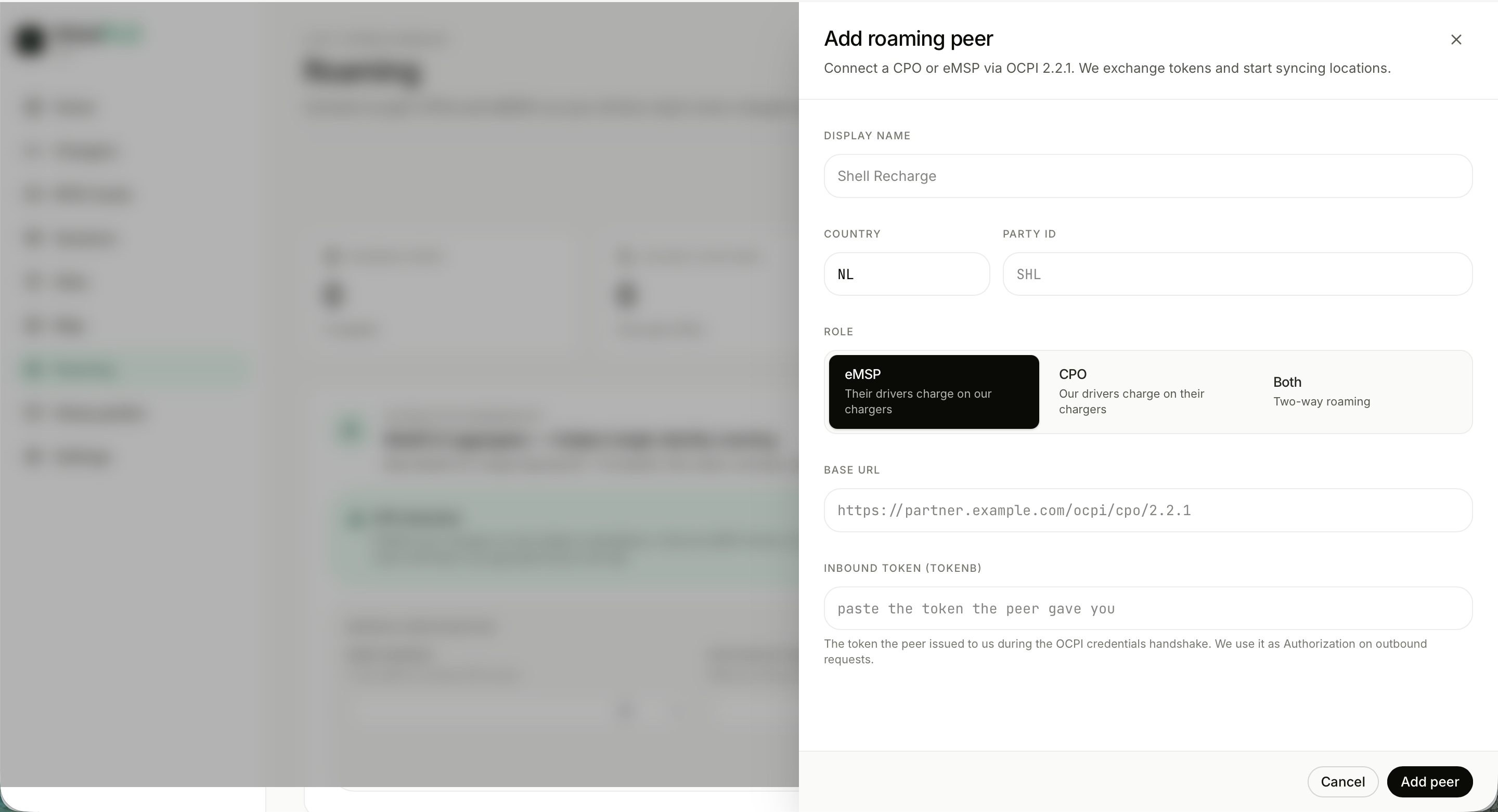
Add roaming peer drawer Roaming overview with aggregator membership
1
Direct peers over OCPI 2.2.1 — token handshake, locations sync
2
Hubject single-identity roaming under MobiFLO's OperatorID + ProviderID
3
CPO and eMSP directions toggle independently, each with its own margin
Operator console · Roaming

Roaming economics

Margins, payouts and bill-back — the settlement rules in one place.
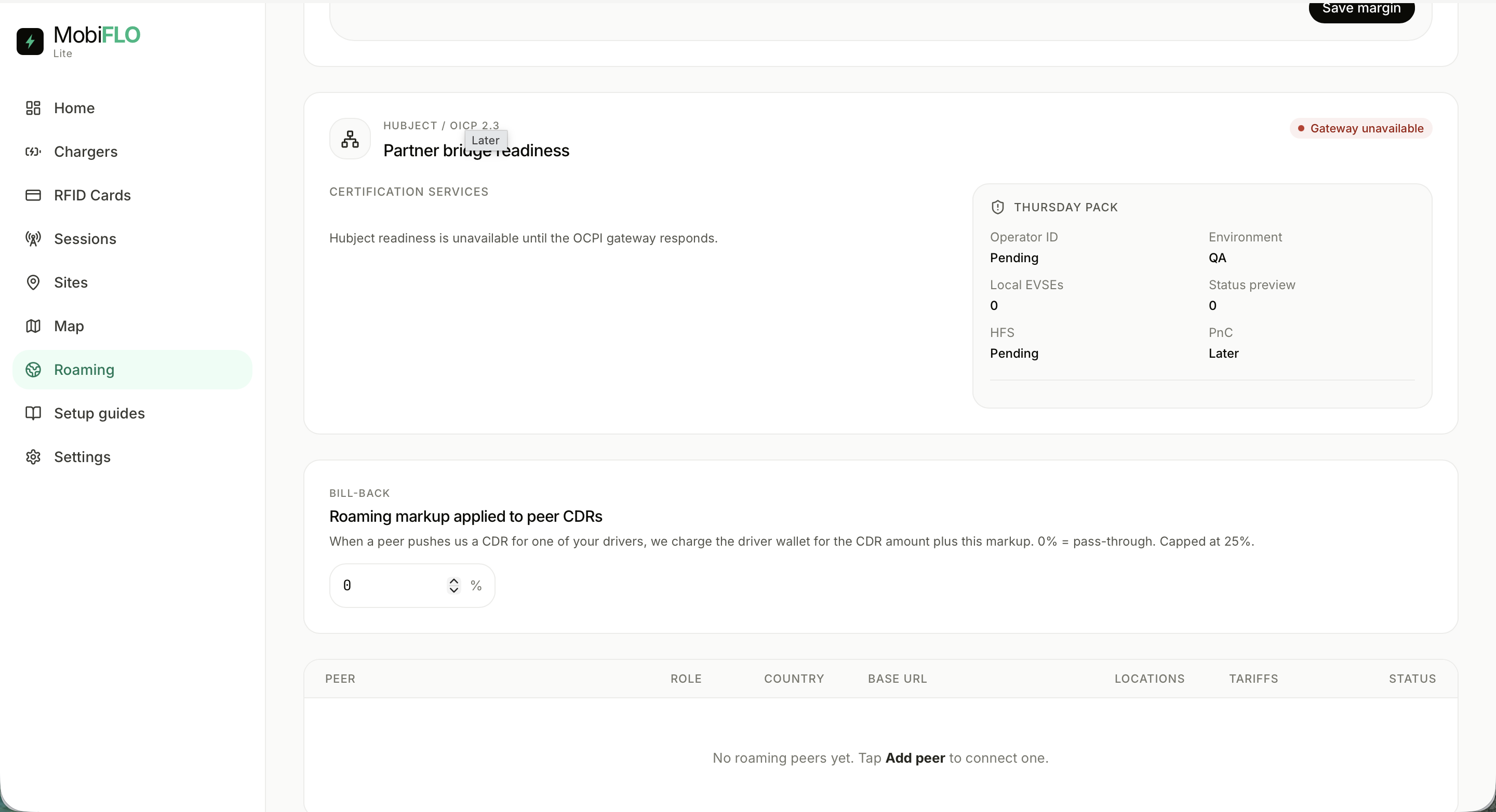
Hubject readiness and bill-back markup
1
Bill-back markup on peer CDRs — 0% is pass-through, capped at 25%
2
Hubject readiness tracks certification: Operator ID, EVSEs, HFS, PnC
3
Peer table shows role, country, locations and tariffs as they sync
Operator console · Settings

Settings and subscription

Profile, connection, alerts, security — and the plan that bills it all.
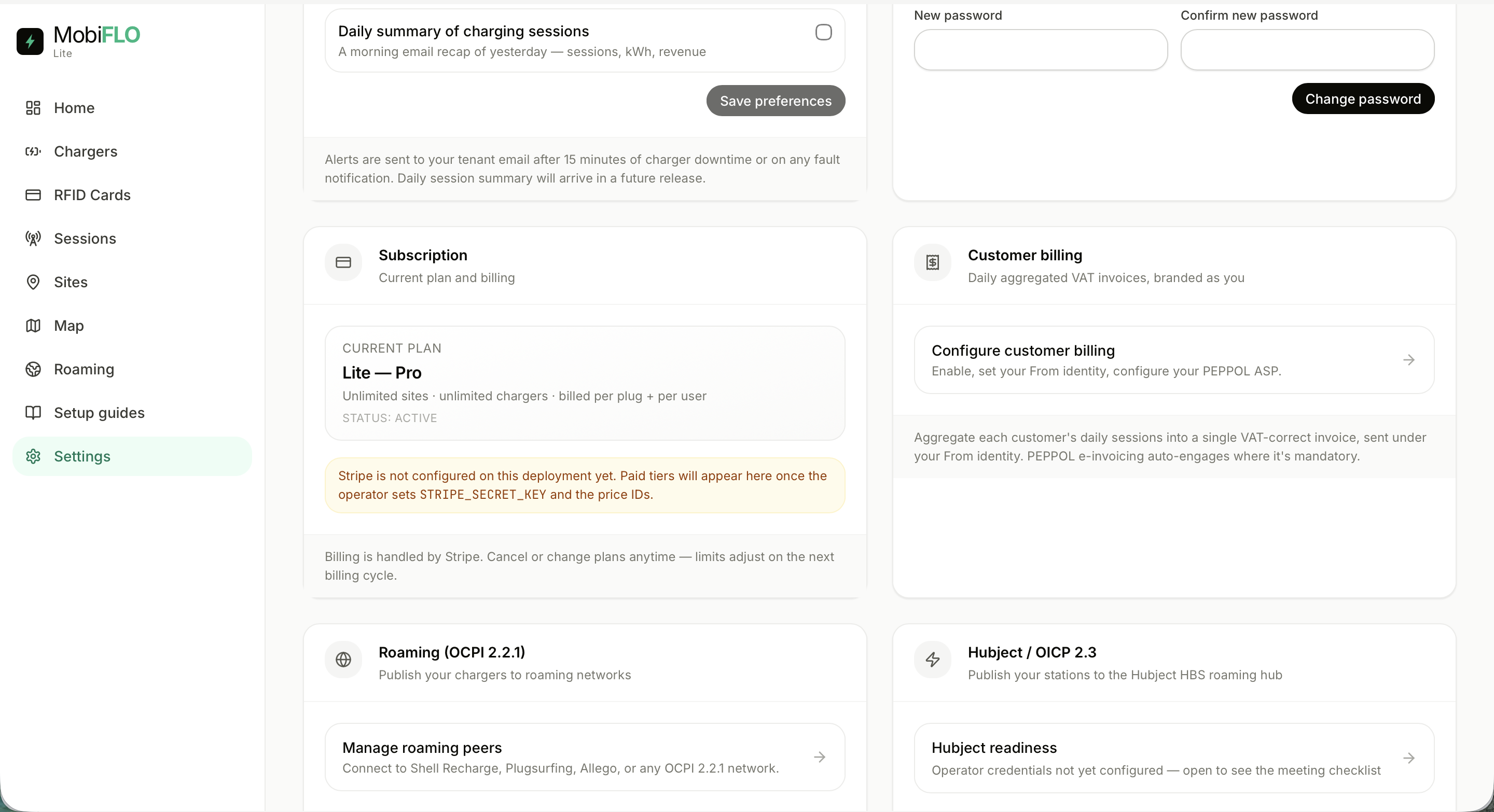
Subscription and customer billing settings Settings: profile, charger connection, notifications, security
1
Profile, OCPP connection URLs and email alerts for faults and downtime
2
Plan: Lite — Pro, unlimited sites and chargers, billed per plug + per user
3
Customer billing: daily aggregated VAT invoices, branded as the operator
Operator console · Settings

Invoicing and integrations

E-invoicing that's on by default — and standards-compliant.
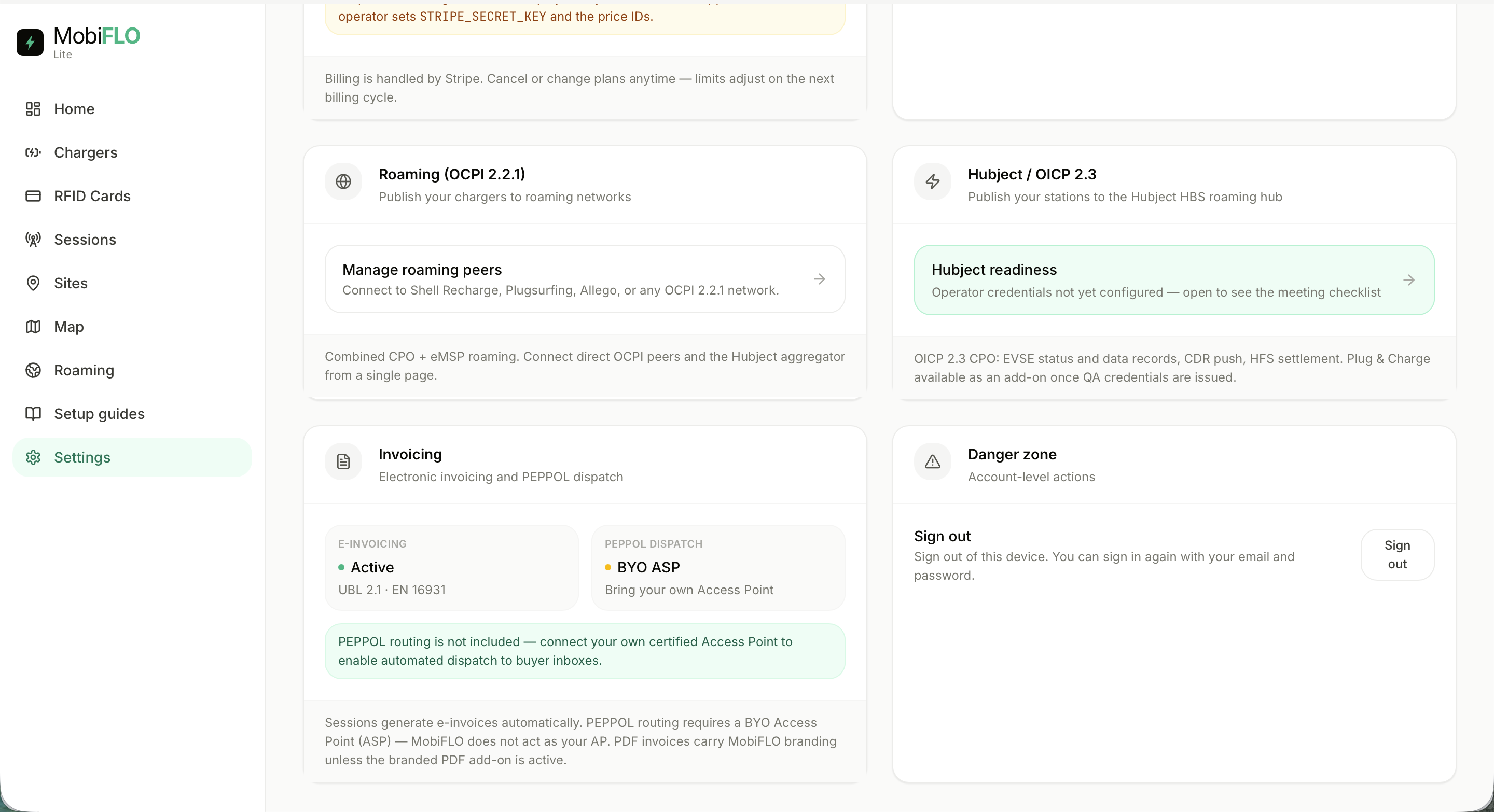
Invoicing, roaming and Hubject settings
1
E-invoicing active: UBL 2.1 · EN 16931, generated per session
2
PEPPOL dispatch with your own certified Access Point
3
Roaming and Hubject shortcuts; account actions in a danger zone
Go-to-market

The website and live demo

Prospects don't read about the console — they click through it.
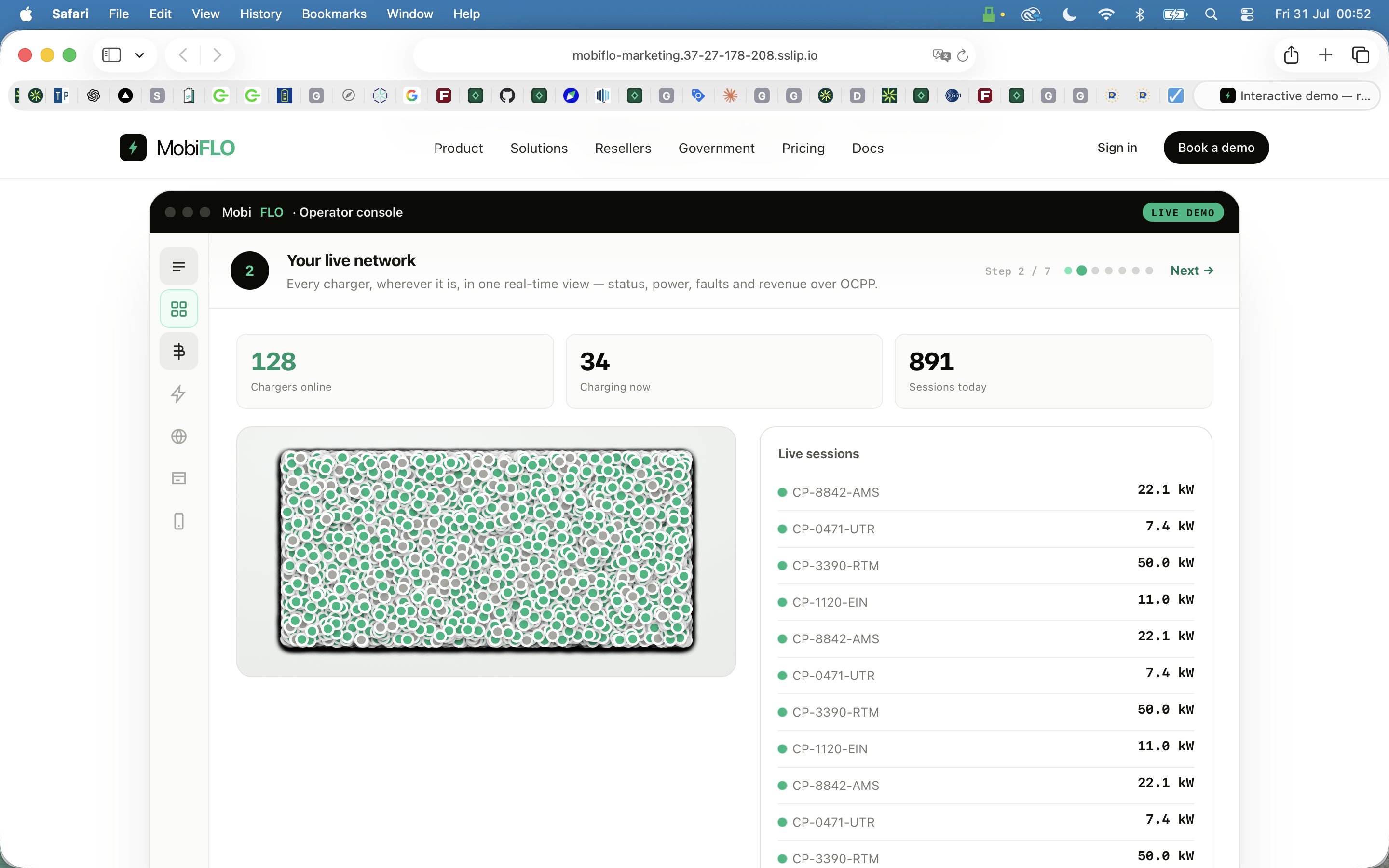
MobiFLO marketing site with live operator console demo
1
A guided 7-step live demo of the console, embedded in the page
2
Tracks for product, solutions, resellers, government and pricing
3
"Book a demo" is the single call to action throughout

Charging that actually works.

Driver app  ·  Operator console  ·  Roaming network  ·  Automated invoicing

View the live demo
Sign in to the EviNet demo